1
Contents
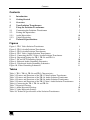
Contents
1
2
3
4
5
5.1
5.2
Introduction
Getting Started
Overview
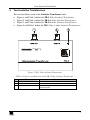
Your Isolation Transformers
Using the Isolation Transformer
Connecting the Isolation Transformer
Setting the dipswitches
1
1
2
3
7
7
9
5.2.1
5.2.2
Audio Dipswitches
Video Dipswitches
10
11
6
Technical Specifications
12
Figures
Figure 1: TR-1 Video Isolation Transformer
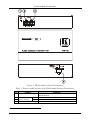
Figure 2: TR-1A Audio Isolation Transformer
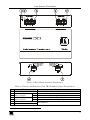
Figure 3: TR-2A Audio Isolation Transformers
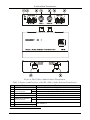
Figure 4: TR-3 Video / Audio Isolation Transformers
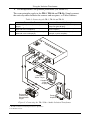
Figure 5: Connecting the TR-3 Video / Audio Isolation Transformer
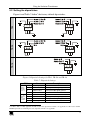
Figure 6: Dipswitch Settings for TR-3. TR-2A and TR-1A
Figure 7: IN and OUT Grounding Options
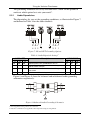
Figure 8: Balanced Audio Grounding Schematics
Figure 9: Unbalanced Audio Grounding Schematics
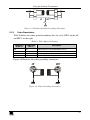
Figure 10: Video Grounding Schematics
3
4
5
6
8
9
10
10
11
11
Tables
Table 1: TR-1, TR-1A, TR-2A and TR-3 Characteristics
Table 2: Features and Functions of the TR-1 Video Isolation Transformer
Table 3: Features and Functions of the TR-1A Audio Isolation Transformer
Table 4: Features and Functions of the TR-2A Audio Isolation Transformers
Table 5: Features and Functions of the TR-3 Video / Audio Isolation Transformers
Table 6: Connecting the TR-1, TR-1A and TR-2A
Table 7: Dipswitch Settings
Table 8: Audio Dipswitch Settings
Table 9: Video Dipswitch Settings
Table 10: Technical Specifications of the Isolation Transformers
2
3
4
5
6
8
9
10
11
12
i