1
Intel Desktop Board D845GVSR Technical Product Specification
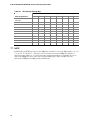
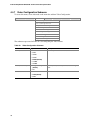
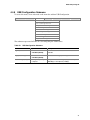
4.4.2
Boot Configuration Submenu
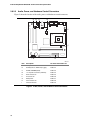
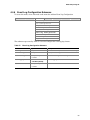
To access this submenu, select Advanced on the menu bar and then Boot Configuration.
Maintenance
Main
Advanced
Security
Power
Boot
Exit
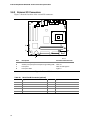
PCI Configuration
Boot Configuration
Peripheral Configuration
IDE Configuration
Diskette Configuration
Event Log Configuration
Video Configuration
USB Configuration
Chipset Configuration
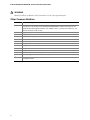
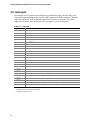
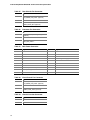
The submenu represented by Table 52 is for setting Plug and Play options, resetting configuration
data, and the power-on state of the Numlock key.
Table 52.
Boot Configuration Submenu
Feature
Options
Description
Plug & Play O/S
• No (default)
Specifies if manual configuration is desired.
No lets the BIOS configure all devices. This setting is
appropriate when using a Plug and Play operating system.
Yes lets the operating system configure Plug and Play
devices not required to boot the system. This option is
available for use during lab testing.
• Yes
Numlock
ASF Support
• Off
• On (default)
Specifies the power-on state of the Numlock feature on the
numeric keypad of the keyboard.
• Disabled
Allows disabling the Alert Standard Format (ASF) feature.
• Enabled
(default)
82