1
4
5
Unified Communications
Purchasing Microsoft Hardware
Your employees want communication tools that make their work easier and
are available anywhere, anytime. Microsoft Lync™ Server 2010 transforms every
communication into an interaction that is more collaborative, engaging, and
accessible from anywhere.
®
TM
Microsoft Lync
From controlling costs to managing compliance, Microsoft Lync 2010 delivers value that speaks to
the needs of today’s organisations. A single interface unites voice, instant messaging, audio, video, and
Web-conferencing into a richer, more contextual offering and a single identity makes it easier and more
efficient for users to find contacts, check their availability and connect with them. Lync 2010 and Lync Server
2010 work consistently with Microsoft Office, enriching the experience of familiar applications like Microsoft
Outlook , Microsoft Word, Microsoft SharePoint , and more.
®
®
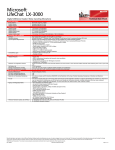
Using a webcam optimised for Microsoft Lync delivers all the benefits you would expect from a webcam
and more. Microsoft’s new LifeCam range is part of a Unified Communications approach, meaning seamless
integration and ease of use. With Microsoft Lync, for example, it’s one click to make a call, and just click
again to launch a video connection via your LifeCam. In every way, a LifeCam enhances your Microsoft Lync
experience and increases your ROI.
Microsoft Hardware for Business products are generally available in single units and 50-packs.
The for Business line offers better pricing for businesses. The new packaging makes it easier to
deploy and is environmentally friendly.
Volume Pricing
• Easy to Order and Deploy
Everything the Customer Needs in One Easy to Open, Easy to Deploy Package
• Support
Included with Each Product
Why an external webcam?
• Packaging
External webcams can have higher quality video, better optics,
a larger aperture (requiring less light), a flexible camera angle
and direction, an increased field of view, and the ability to easily
manage security versus a built-in computer camera.
By offering clear, high quality, face-to-face communication,
a webcam can help to mitigate miscommunication, increase
employee productivity, decrease travel expenses, and reduce
your carbon footprint. Imagine conferencing across different time
zones with multiple people without the high cost of traveling.
According to a recent Forrester report, the average cost of
a business trip is around $7,0001. Using a webcam for some
of those face-to-face meetings can eliminate the need for some
business trips altogether, saving your company money.
Little wonder then that the CIO of one of the global accounting
firms said to us, “Even if we only use the webcam once, to replace
a meeting just across town, it’s paid for itself several times over”.
Reduced Waste, Environmentally Friendly
Do your best by the planet.
Trading travel for video conferencing
not only saves your company money,
it also reduces your impact on the
environment.
A recent American Consumer
Institute study estimated that if video
conferencing substituted just 10% of
business air travel, it would reduce US
carbon emissions by 35 million tons per
annum. In every way, conferencing over
the Web is far better for the planet.
Note: Microsoft LifeCams for Business are optimised to
work as true plug and play devices and do not ship with
the consumer version of the software. Ask your Microsoft
representative for an enterprise version of the consumer
software if you wish to implement software features such
as TrueColor™ and ClearFrame™ technology.
Forrester Report: February 24, 2009 The ROI of Telepresence
Microsoft Hardware for Business provides opportunity for
greater savings by offering an easier way to purchase, sell and
deploy Microsoft Hardware products. These products are for
sale only to Microsoft distributors and resellers for business
deployment, not for retail sales.
• Savings
Webcams Optimised for Microsoft Lync
1
Volume pricing, reduced packaging