1
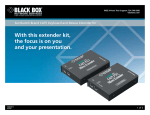
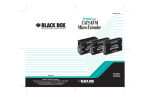
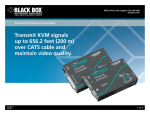
Except for CAT5 cable, everything you need to operate a PS/2 type local CPU with a remote user station is included—just plug in your equipment and go! Features » Full-featured KVM extension with a pair of pocket-sized boxes. » Cross distances up to 160 ft. (48.8 m). » Supports resolutions up to 1280 x 1024. » Adjustable video equalization compen-sates for cable losses. » Fully buffered signals for transparent remote operation. » Supports IntelliMouse®. » Dual-access model supports both local and remote user stations. » Available with audio and serial support. ACU3009A dual-access Local systems only ACU3009A dual-access Remote systems only CAT5 cabling (not included) Local monitor, keyboard, and mouse Included KVMextension cable Power supply Remote monitor, keyboard, and mouse Local CPU OVERVIEW You have an IBM PC computer at point A. You’d like to put the keyboard, mouse, and monitor at point B. Points A and B aren’t too far apart—maybe only 75, 100, or 150 feet. That calls for KVM extension, because the system almost certainly won’t work if you try to run regular keyboard, mouse, and video cables that far. But you don’t need a big extender that will cross 1000 feet. So what do you do? Why not try a ServSwitch Brand CAT5 KVM Micro Extender Kit (ACU3001A)? The Micro Extenders have the same central circuitry as many of our more sophisticated KVM extenders—for example, they support video resolutions up to 1280 x 1024—but they’re specially designed for basic keyboard/ monitor/mouse control across medium distances up to 160 ft. (48.8 m). The extender consists of a local module to which you’ll attach the computer CPU with an included three-to-one cable, plus a remote module that the user-station equipment can plug directly into. Connect the local module to the remote module with inexpensive Category 5 twisted-pair cable. (You might be able to use CAT5e or CAT6 cable instead; call Technical Support for details.) Once your extender system is cabled together, just plug your remote unit into AC power. Then set a single DIP switch—to tell the extender whether to equalize for CAT5 cable shorter or longer than 82 ft. (25 m)—and power up your equipment. 02/04/2010 #24992 724-746-5500 The extender buffers all of the signals that pass between the CPU and the remote user station. This makes the operation at the user station so smooth that it will feel like the computer is right there under your desk. Just as our bigger extenders do, the local unit always emulates a directly attached keyboard and mouse. So you can unplug and replug any keyboard or mouse attached to the extender at any time without disrupting the booting or operation of your CPU. The Dual-Access Micro Extender (ACU3009A) supports a local user station at the CPU’s site as well as the remote station. Normally the two stations will contend for access to the CPU. One station will be granted control while the user at that station is typing at their keyboard or moving the mouse. Once this activity stops for two seconds, the user at the other station can take take control. The Single-Access Micro Extender with Bidirectional Serial and Audio Support (ACU3022A) has all of the capabilities of the regular single-access version, and can also support a connection between the PC and a remote microphone and speakers (or other sources of audio input and output). Plus, it offers a serial connection which supports RS-232 devices with speeds up to 19,200 bps. blackbox.com 2 of 4 BLACK BOX ®