1
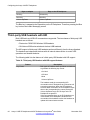
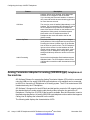
USB headset
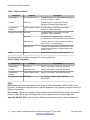
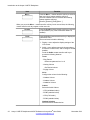
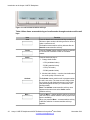
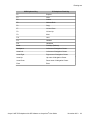
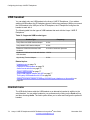
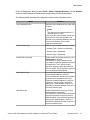
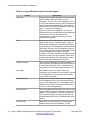
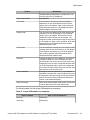
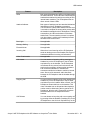
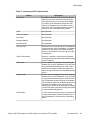
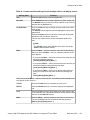
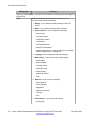
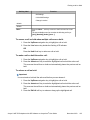
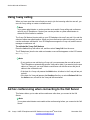
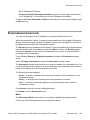
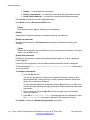
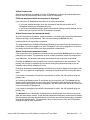
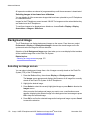
Table 17: Summary of ATA characteristics
Feature
Description
Key Events
In addition to On hook, Off hook events, dial pad
digit events from the attached analog device are
also supported. Key press events on the adapter
are sent to the IP Deskphone through the USB.
After the IP Deskphone receives these events, it
maps them to the corresponding key events as if
the keys on the IP Deskphone are pressed.
LEDs
Not applicable.
Attached Indicator
Not applicable.
Back Light
Not applicable.
Message Waiting
Not applicable.
External Alerter
Not applicable.
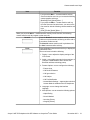
Incoming Call
When there is an incoming call, the IP Deskphone
sends an alerting event to the adapter. The adapter
produces the ring tones for the attached analog
device to indicate there is an incoming call on the
IP Deskphone.
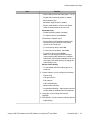
Caller ID Information
Caller ID, if available, is also sent to the adapter.
The adapter sends the CLID to the attached analog
device for display.
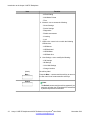
Call Answer
You can answer an incoming call by pressing the
Headset key on the IP Deskphone or the Off Hook
key on the attached analog device. After a call is
answered, the adapter converts the digital voice
data to analog and sends it to the attached analog
device.
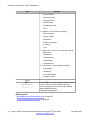
Outgoing Call
You can make an outgoing call by either using the
Headset key on the IP Deskphone or the Off Hook
key on the attached analog device. When off hook,
the IP Deskphone streams dial tone to the adapter.
The telephone number can be dialed using the key
pad of the IP Deskphone or the key pad of the
analog device. After a call is answered, the adapter
converts the digital voice data to analog and sends
it to the attached analog device.
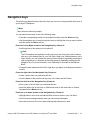
Call Release
You can release an incoming call or an outgoing call
by either pressing the Release (Goodbye) key on
the IP Deskphone or On Hook key on the analog
device.
Avaya 1140E IP Deskphone with SIP Software on Avaya Aura® User Guide
November 2013
83