1
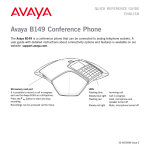
DESCRIPTION UP ARROW Navigation in menus Display of call list Menu Settings Cancel No/end/back Start/stop recording OK Yes/confirm choice Answer/connect new line During a call: Press to call a new person Increase volume Decrease volume Hang up/end line Mute Hold DOWN ARROW Navigation in menus Display of call list Alphanumerical buttons Hold down a button for 2 seconds to open the phonebook Conference Automatic dialling of conference groups One press of this button will always connect all parties to a conference call Line selection Some Avaya B179 have a different keypad with other symbols. This does not affect the functions of the buttons. NAVIGATE IN MENUS AND MAKE SETTINGS The Avaya B179 menu contains the following options: PROFILES PHONE BOOK EXT. PHONE BOOK CONF GUIDE RECORDING SETTINGS SYSTEM STATUS The simplest way to make settings and edit contacts is using a PC and the Avaya B179 web interface. Please refer to the manual for details. Press . Select the option you want from the menu using the arrow keys. Press OK to confirm. Cancel the setting or go back one level in the menu by pressing . Quit the menu by pressing again. Note that after you have made changes to a setting, you must press OK to activate the setting. It is possible to open a menu option directly by pressing the number button that corresponds to the position of the option in the menu.