1
•
Configure ip at the interface level with a specific IP address and subnet mask. For
example, enter either of these commands:
-- ip address 192.184.68.24 mask 255.0.0.0
-- ip 192.184.68.24/255.0.0.0
•
Enter show commands (for statistical information) and help commands at any level of the
object hierarchy. You do not need to change to another mode to use these commands.
box
ethernet slot 2 connector 1
ethernet slot 2 connector 2
ip address 11.23.13.14 mask 255.0.0.0
ip address 11.23.13.15 mask 255.0.0.0
rip
rip
ip
BCC0037A
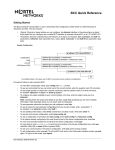
Figure 1.
Hierarchy of BCC Objects
Sample Session
To create the sample configuration shown in Figure 1 on a BN router with an Ethernet link module
in slot 2, enter the following BCC commands. Notice how each BCC prompt contains the BCC
identifier of the object just configured.
Command
Comment
box# ethernet slot 2 connector 1
Configures ethernet 2/1 using a fully specified
interface location.
ethernet/2/1# ip 11.23.13.14/8
Configures ip/11.23.13.14/255.0.0.0 using a
decimal mask value. The BCC automatically
configures the global ip object when you configure
the first ip interface on the box.
ip/11.23.13.14/255.0.0.0# rip
Configures RIP on ip/11.23.13.14. No parameter
values are required.
rip/11.23.13.14# back
Moves back one level closer to box or root level.
ip/11.23.13.14/255.0.0.0# back 2
Moves back two levels to box level.
box# eth 2/2
Configures ethernet 2/2 using abbreviated syntax.
(Slashes between required parameter values
only.)
(continued)
2
Part Number 308602-14.20 Rev 00