1
Entering and editing text
Entering and editing text
You can enter and edit text on your IP Phone 1165E using the following
methods:
•
“Entering text using the IP Phone dialpad” on page 27
•
“Entering text using the USB keyboard” on page 28
The use of any of these methods for text entry or editing depends on the
application. Table 1 shows the applications and input devices that you
can use for text entry.
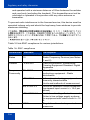
Table 1: Application text entry
For:
Use:
Call Server-related applications
(for example, changing feature
key labels, adding personal
directory entries, or dialing)
Dialpad
Graphical applications
USB keyboard
Local Tools menu
USB keyboard
USB keyboard for numeric
entries only
Dialpad for numeric entries
Entering text using the IP Phone dialpad
You can use the dialpad to enter text when you use features such as
Personal Directory, Redial List, and Callers List. Use the dialpad in
conjunction with the soft keys.
For example, if you want to enter the letter A, press the number 2 key
once. If you want to enter the letter C, press the number 2 key three
times. No letters are associated with the number 1 or the 0 keys;
however, punctuation is associated with these keys.
27