1
DH-A61D1D-LS(GB)_DESUK 03.7.27 11:45 PM ˘ ` 2
Key Features of the PVR/DVD Combo
PVR
Digital Video Recording
Instant Recording of a television programme by a
single button press.
Live TV Buffer – This feature allows you to actively
time-shift live television. The buffer can store up to
one hour of material allowing you to go back in time,
replay part of a programme that you might have
missed or you just want to see again.
Live Television Pause
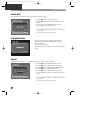
Set Recording – Using the Set Recording Menu you can
set a timed recording.
Using the Set Recording menu you can set up to eight
recordings. You can choose to record a programme
Once, Twice, Daily or Weekly. You can also set a
recording using Show View / Video Plus(+) and select
to record once daily twice or weekly.
Show View / Video Plus(+) - simply input the Show
View / Video Plus(+) code and the unit will do the
rest, you will also have the opportunity to select the
recording quality and the frequency of the recording.
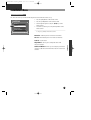
Pause a current live television programme and return
to it at your convenience. If you need to Pause press
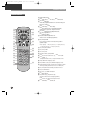
the Pause/Play button on the remote control and the
live picture will freeze, to resume watching press the
Pause/Play button and the programme will resume
exactly where you left off.
Trick Modes - You can perform various trick modes
such as pausing, fast-forwarding and rewinding
images when using the PVR/DVD player.
Hard Disk Recording
programme when you are recording a programme
without stopping Rec.
Recording onto a hard disk means you don’t have to
search though videotapes trying to find a programme
you recorded, nor do you have to find videotape if
something you want to record comes on the television
you can record it instantly with the touch of a button.
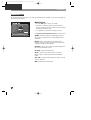
Choice of Recording Qualities : with this feature you
can select the recording quality you would like your
timed recordings to be recorded in.
There are three options Basic /Medium/High.
Basic : 34 hrs and 12 mins
Medium : 18 hrs 42 mins
High : 13 hrs 12 mins
You can also set a recording using Show View / Video
Plus(+) and select to record Once, Daily, Twice or
Weekly. All instant records are performed in High
quality mode.
Recording Television
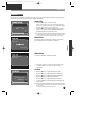
Instant Recording – you can record a programme with
the touch of a button. You can record for as long as
you like or until you run out of disk space.
Record Until – you can instantly record television but
can also specify a “Stop Time” after which the unit
will automatically power off.
2
Record Monitor - You can watch the recorded
DVD Title Copy - When you watch DVD Title, press
[Rec] on the remote control and you can copy DVD
Title to HDD. The recorder does not copy DVD Title
including Macro Vision.
Multiple Speed Forward and Reverse – You can fast
forward and reverse at different speeds to change the
speed press the Fast Forward and Rewind buttons
multiple times on the remote control.