1
Product information
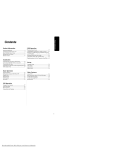
Contents
Product Information
DVD Operation
Important Safeguards ..................................................... 2
Advantages of This Product Are .... ............................ 5
Read Carefully before Using ......................................... 6
Identification of Controls ............................................... 7
Remote Control .............................................................. 11
Playing a desired scene ................................................ 35
Confirming the current PLAY mode on screen ....... 39
Selecting an AUDIO language, SUBTITLE language
and 3D AUDIO ............................................................... 41
Selecting ZOOM and Multi Angle.............................. 42
About MP3, JPEG discs ................................................. 43
Displaying menus in a disc........................................... 45
Connections
Setting up your player................................................... 12
Connecting your player through extra equipment
(satellite system) ............................................................ 13
Connecting your player to the Hi-Fi system .............14
To make VCR tape to tape recordings,
How to connect your player to a camcorder ............ 15
Connecting Dolby Digital Amp with Digital Audio
Out Jack ........................................................................... 16
2nd Scart Socket ............................................................. 17
Basic Operation
Initial Installation ........................................................... 18
Setting time and date / Auto clock ............................ 19
OSD ON & OFF / Output Select ................................ 20
DVD Playback ................................................................ 21
VCR Playback ................................................................ 22
VCR Recording .............................................................. 23
Set-up
Language Setup .............................................................. 46
Video Setup, Audio Setup ............................................ 47
Other Setups ................................................................... 48
The others
About DVD...................................................................... 49
Basic information about VCR and Videotape............51
Before suspecting a fault (VCR)................................... 52
Before suspecting a fault (DVD) ................................. 54
Specifications .................................................................. 55
VCR Operation
Tuning in New Stations ................................................ 25
Timer Recording ............................................................ 27
More Functions .............................................................. 30
Connections and Copying ........................................... 33
1