1
NetSure™ ACU+ Controller (Advanced Control Unit Plus)
User Instructions, UM1M820BNA (Issue AK, March 3, 2014)
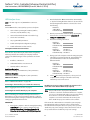
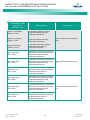
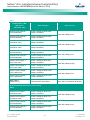
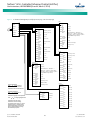
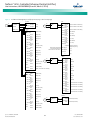
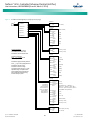
Local Menu Navigation Keys and LCD Display .................................................................................................. 13
Local Display Menus ....................................................................................................................................... 13
Navigating the Menus ............................................................................................................................. 13
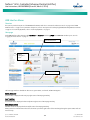
WEB Interface Access ............................................................................................................................................ 14
Overview ....................................................................................................................................................... 14
Setting IP Communications Parameters................................................................................................... 14
WEB Interface Menus .............................................................................................................................. 14
Connecting to the Controller (over a network connection) ....................................................................... 14
Connecting the Controller Directly to your Computer .............................................................................. 14
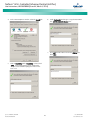
Disabling Proxy Server Settings to Enable a Connection to the Controller over an Intranet
Network (if required) .............................................................................................................................. 14
Internet Security Settings for Loading Files or Downloading Files into the ACU+ ....................................... 15
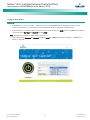
Logging into the Controller ..................................................................................................................... 17
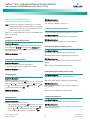
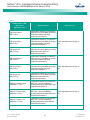
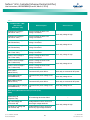
Common Tasks Performed via the Local Keypad and/or Web Interface ................................................................... 18
Procedures .................................................................................................................................................... 18
Changing the Local LCD Display Contrast................................................................................................. 18
Disabling the Local Keypad Sound ........................................................................................................... 18
Changing the Date .................................................................................................................................. 18
Changing the Time ................................................................................................................................. 18
Setting IP Communications Parameters................................................................................................... 18
Viewing/Changing the Float Voltage Setting ........................................................................................... 18
Viewing/Changing the Equalize Voltage Setting ...................................................................................... 18
Setting Battery Parameters ..................................................................................................................... 18
Setting Battery Capacity Parameters ....................................................................................................... 19
Setting Temperature Sensors .................................................................................................................. 19
Setting Battery Charge Temperature Compensation ................................................................................ 20
Setting Rectifier High Voltage Shutdown ................................................................................................. 20
Setting Rectifier Current Limit ................................................................................................................. 20
Setting Over Voltage Alarm 1 .................................................................................................................. 20
Setting Over Voltage Alarm 2 .................................................................................................................. 20
Setting Under Voltage Alarm 1 ................................................................................................................ 20
Setting Under Voltage Alarm 2 ................................................................................................................ 20
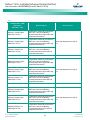
Configuring the ACU+ Identification of Rectifiers and Assigning which Input Phase is
Connected to the Rectifiers ..................................................................................................................... 20
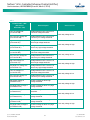
Configuring the ACU+ Identification of Converters .................................................................................. 21
Setting Digital Inputs .............................................................................................................................. 22
Setting Battery Block and Battery Midpoint Monitoring (if equipped with an EIB Assembly) ...................... 22
Setting External Shunts (connected to the EIB Assembly) ......................................................................... 22
Setting External Shunts (connected to the SM-DU+ Assembly) ................................................................. 22
Setting the Load Current Alarm ............................................................................................................... 23
Using the Relay Test Feature ................................................................................................................... 23
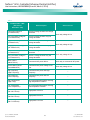
Programming the Audible Alarm Feature................................................................................................. 24
Spec. No: 1M820BNA, 1M820DNA
Model No: M820B, M820D
ii
Code: UM1M820BNA
Issue AK, March 3, 2014