1
P930.book Page 3 Monday, September 9, 2002 12:20 PM
Setting Up the Monitor
Connecting the monitor
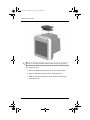
To connect the monitor to the computer system:
1. Place the monitor in a convenient, well ventilated location
near your computer.
2. Connect the power cord for your monitor to the power port on
the back of the monitor. Plug the power cord for the monitor
into a nearby electrical outlet.
3. Connect the monitor signal cable to your computer’s video
port, video board, video card or graphics card.
4. Connect the computer’s power cord to an electrical outlet.
5. Turn on your computer and monitor. If you monitor displays
an image, installation is complete.
User’s Guide
3–3