1
Troubleshooting
Note
Before calling for service, check the information in this section to see if you can remedy
any problems yourself. If you do need assistance, please call the phone number on the
warranty card, the phone number on the Information section or contact your dealer.
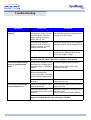
Symptom
Check List
Solutions
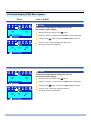
No images on the screen. I
cannot turn on the monitor.
Is the power cord connected
properly?
Check the power cord connection and
supply.
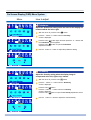
Can you see "No
Connection, Check Signal
Cable" on the screen?
Check the signal cable connection.
If the power is on, reboot the
computer to see the initial
screen(the login screen),
which can be seen.
If the initial screen (the login screen)
appears, boot the computer in
the applicable mode (the safe mode
for Windows ME/XP/2000)
and then change the frequency of the
video card.
(Refer to the Preset Display Modes)
Note: If the initial screen (the login
screen) does not appear, contact a
service center or your dealer.
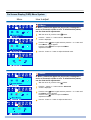
Can you see "Sync. Out of
Range" on the screen?
You can see this message when the
signal from the video card exceeds the
maximum resolution and frequency
that the monitor can properly handle.
Adjust the maximum resolution and
frequency that the monitor can
properly handle.
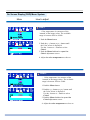
I cannot see the On Screen
Display.
There is no image on the
screen. Is the power indicator
on the monitor blinking at 1
second intervals?
The monitor is in PowerSaver mode.
Have you locked the On
Screen Display (OSD)
Menu to prevent changes?
Unlock the OSD by pressing the
MENU button for at least 10 seconds.
Press a key on the keyboard or move
the mouse to activate the monitor and
restore the image on the screen.