1
Get to know your HP Photosmart
Wireless
Wireless
ePrint
ePrint
English
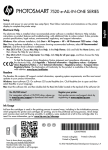
Photo: Displays the Photo menu where you can view,
print and reprint photos.
Wireless: Displays the Wireless menu where you can
check wireless status and change wireless settings.
Copy: Displays the Copy menu where you can select
a copy type or change the copy settings.
Wireless status light and button: Solid blue light
indicates wireless connection. Slow blinking light
indicates that wireless is on, but the printer is not
connected to a network. Fast blinking light indicates
wireless error. Press the button to display wireless
status, IP address, network name, and hardware
address (MAC).
Scan: Displays the Scan menu where you can scan
your photos or documents to a connected computer
or a memory card.
Ink: Shows estimated ink levels by cartridge.
Apps: Provides a quick and easy way to access
and print information from the web, such as maps,
coloring pages, puzzles, and more.
ePrint light and button: White light indicates ePrint
is connected. Press the button to display the printer’s
email address, ePrint status, and ePrint feature.
Setup: Displays the Setup menu where you can
change preferences and use tools to perform
maintenance functions.
Power button
Cartridge access door
Removable
scan lid
Printhead assembly
Scanning glass
Memory card slot
Paper path cover
Paper tray (open)
Paper tray extender
Paper-width guide
Power specifications
Note: Only use this printer with the power cord supplied by HP.
CQ191-60017
CQ191-60018
•• Input voltage: 100-240 Vac (+/- 10%)
•• Input voltage: 200-240 Vac (+/- 10%)
•• Input frequency: 50/60 Hz (+/- 3 Hz)
•• Input frequency: 50/60 Hz (+/- 3 Hz)
2