1
3
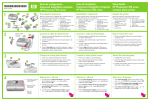
HP Photosmart C5500 All-in-One series
EN
ES
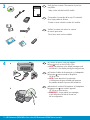
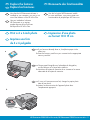
Verify the box contents. The contents of your box
may differ.
*May not be included with all models
Compruebe el contenido de la caja. El contenido
de su caja puede ser distinto.
*Puede no estar incluido en todos los modelos
*
FR
Vérifiez le contenu du carton. Le contenu
du carton peut varier.
*Non fourni avec tous les modèles
*
4
a
*
*
EN
ES
b
FR
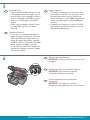
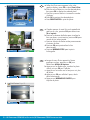
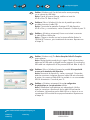
a. Connect the power cord and adapter.
b. Press to turn on the HP All-in-One.
c. NOTE: Pay attention to the helpful messages and
animations in the display during the setup process.
a. Conecte el cable de alimentación y el adaptador.
b. Presione para encender el dispositivo
HP All-in-One.
c. NOTA: Preste atención a los mensajes
y animaciones de gran utilidad que aparecen
en pantalla durante el proceso de instalación.
a. Branchez le cordon d’alimentation et l’adaptateur.
b. Appuyez sur pour mettre l’appareil
HP Tout-en-un sous tension.
c. REMARQUE : Soyez attentif aux messages
et aux animations d’aide à l’écran lors
de la configuration.
2 • HP Photosmart C5500 All-in-One series/HP Photosmart C5500 Tout-en-un série