1
4
EN
ES
5
EN
6
EN
a
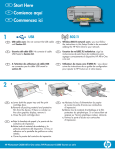
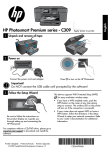
a. Connect the power cord and adapter.
b. Press to turn on the HP All-in-One.
NOTE: Pay attention to the helpful messages
and animations in the display during the
setup process.
Do one of the following:
• If a prompt appears asking you to set the
language and country/region, use the
arrows to select your language from the list of
up to 25 languages, press OK, and confirm.
Select your country/region, press OK and
confirm.
• If a prompt appears asking to install print
cartridges, go to the next step in this guide.
2 • HP Photosmart C6200 All-in-One series
a. If the control panel faceplate is not already
attached, position it over the buttons on the device.
b. Press down firmly on all edges of the overlay to
secure it. Make sure all buttons are visible and not
blocked.
a. Si la carátula del panel de control aún no
está puesta, colóquela sobre los botones del
dispositivo.
b. Presione con firmeza en todos los bordes de la
plantilla para fijarla. Asegúrese de que todos los
botones se ven y de que no están bloqueados.
b
ES
ES
a. Conecte el cable de alimentación y el adaptador.
b. Presione para encender el dispositivo
HP All-in-One.
NOTA: Preste especial atención a las animaciones
y mensajes de ayuda de la pantalla durante el
proceso de instalación.
Realice una de las siguientes acciones:
• Cuando se le solicite que establezca el
idioma y el país/región, utilice las flechas
para seleccionar su idioma en la lista de
25 idiomas, presione OK para confirmar.
Seleccione su país/región, presione OK
para confirmar.
• Si se le solicita que instale los cartuchos de
impresión, vaya al siguiente paso de la guía.