1
/Contents
Contents
Getting Started
Getting up and running quickly ............................................................................................................................. 5
System requirements ........................................................................................................................................ 5
Hardware requirements ................................................................................................................................... 5
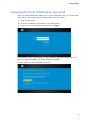
Accessing the Visual Collaboration user portal ................................................................................................ 6
Installing the software ...................................................................................................................................... 7
Selecting devices ............................................................................................................................................. 7
Setting up Meetings
Sending and receiving meeting invitations ............................................................................................................ 8
Before you begin ............................................................................................................................................. 8
Inviting participants to a meeting ..................................................................................................................... 9
Joining a meeting as a registered user ............................................................................................................. 9
Joining a meeting as a guest ......................................................................................................................... 10
Starting a meeting ......................................................................................................................................... 10
Managing the Meeting Environment
Managing layout, share, and view options ......................................................................................................... 11
Viewing participants ...................................................................................................................................... 11
Maximum viewing capacity ........................................................................................................................... 11
Layout controls ............................................................................................................................................... 12
Sharing content.............................................................................................................................................. 12
Share and view controls ................................................................................................................................ 12
Volume and camera controls ......................................................................................................................... 13
Leaving and ending a meeting ...................................................................................................................... 13
Getting help and more information ................................................................................................................ 13
3