1
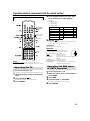
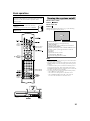
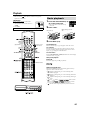
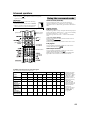
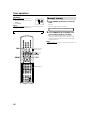
See page 24 for button locations.
Advanced operations
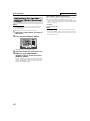
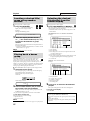
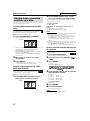
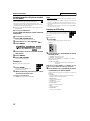
Resume Playback
When Resume Playback is set to “ON” (A pg. 38)
and you stop playback by the following operations,
the position where playback has been stopped is
stored. (“RESUME” appears on the display
window.)
• Turning off the power (A pg. 16)
• Pressing 7 once
• Changing the source (A pg. 17)
Selecting the subtitle
DVD DVD
VIDEO AUDIO
DVD
VR
DVD DVD
VIDEO AUDIO
DVD
VR
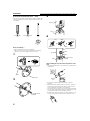
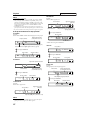
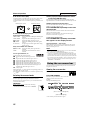
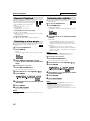
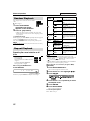
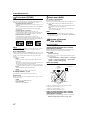
When using the SUBTITLE button:
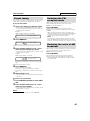
1 Press SUBTITLE.
Example (DVD VIDEO):
“ENGLISH” is selected out of 3 subtitle languages recorded.
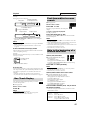
To start playback from the stored position
Press 3 (play button) or DVD.
• There may be a case where 3 (play button) does not work after
changing the source.
To clear the stored position
Press 7 again or open the disc tray with the playback disc.
2 Press Cursor Y/5 to select the desired
subtitle.
For DVD VR
• Pressing SUBTITLE activates the subtitles (subpictures)
regardless of whether the subtitles are recorded or not.
(subpictures will not change if no subpictures is recorded.)
Selecting a view angle
7 During playback of a disc containing multi-view
angles
7 During playback of a disc containing subtitles in
several languages
DVD DVD
VIDEO AUDIO
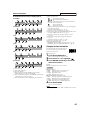
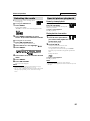
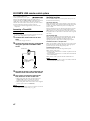
When using the ANGLE button:
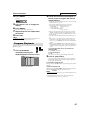
1 Press ANGLE.
Example:
The first view angle is selected out of 3 view angles recorded.
For SVCD
• An SVCD can contain up to four subtitles. Pressing
SUBTITLE changes the subtitles regardless of whether the
subtitles are recorded or not. (Subtitles will not change if no
subtitle is recorded.)
NOTE
• To clear the subtitle, press SUBTITLE. Each time you press
SUBTITLE, subtitle appears and disappears alternately.
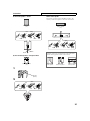
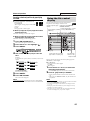
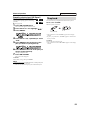
When using the on-screen bar:
1 Press ON SCREEN twice.
2 Press ANGLE repeatedly or press
The on-screen bar appears on the TV screen.
Cursor Y/5 to select the desired view
angle.
When using the on-screen bar:
2 Press Cursor 3/2 to highlight
3 Press ENTER.
.
Dolby D
2/0 . 0ch
1 Press ON SCREEN twice.
The on-screen bar appears on the TV screen.
2 Press Cursor 3/2 to highlight
3 Press ENTER.
.
Dolby D
2/0 . 0ch
4 Press Cursor Y/5 to select the desired
view angle.
5 Press ENTER.
6 Press ON SCREEN.
The on-screen bar disappears.
NOTE
• During DVD AUDIO playback, this feature is available only for the
video part.
29
4 Press Cursor Y/5 repeatedly to select
the desired subtitle.
5 Press ENTER.
6 Press ON SCREEN.
The on-screen bar disappears.
NOTE
• To clear the subtitle, press SUBTITLE. Each time you press
SUBTITLE, subtitle appears and disappears alternately.
• Some subtitle or audio languages are abbreviated in the pop-up
window. See “The language codes list” (A pg. 36).
• During DVD AUDIO playback, this feature is available only for the
video part.