1
TH-C60-40[J]rev-4.book
Page 37
Tuesday, April 18, 2006
2:16 PM
Tuner operations
Preset tuning
Once a station is assigned to a channel number, the station can be
quickly tuned in. You can preset 30 FM and 15 AM stations.
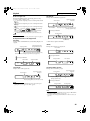
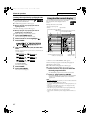
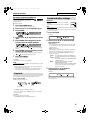
7 To preset the stations
1
2
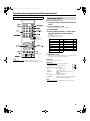
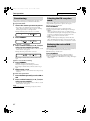
Tune in the station you want to preset.
• If you want to store the FM reception mode for an FM
station, select the reception mode you want. See “Selecting
the FM reception mode” on the right column.
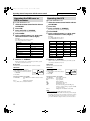
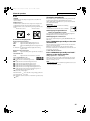
Example: When the system is tuned in to 103.5 MHz.
Press MEMORY.
While “CH” and “_ _” are flashing:
3
Press number button(s) (1-10, h10) to
select a preset number you want.
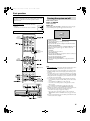
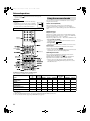
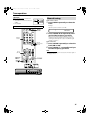
See page 36 for button locations.
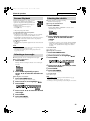
Selecting the FM reception
mode
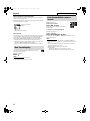
When the stereo FM program currently tuned in is noisy, you can
change the FM reception mode to improve the reception.
7 While listening to an FM station
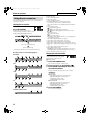
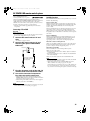
Press FM MODE.
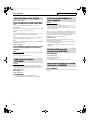
The FM reception mode appears on the display window.
Each time you press the button, the FM reception mode changes.
• AUTO:
When a program is broadcast in stereo, you will hear stereo
sound. (The ST indicator lights on the display window.) When in
monaural, you will hear monaural sound. This mode is also
useful to suppress static noise between stations.
• MONO:
Reception will be improved although you will lose the stereo
effect. (The MONO indicator lights on the display window.) In
this mode, you will hear noise until you are tuned in to a station.
Reducing the noise of AM
broadcast
• For details on using the number buttons, see “How to use the
number buttons”. (See page 22.)
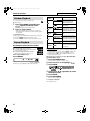
When listening to an AM broadcast with a lot of noise interference,
you can change the Beat Cut mode to reduce the noise.
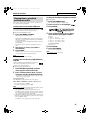
Example: When the preset channel 1 is selected.
7 While listening to an AM station
Press FM MODE.
If the setting is canceled before you finish, start from step 2
again.
While the selected number is flashing:
4
Press MEMORY.
5
Repeat steps 1 to 4.
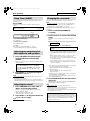
“STORED” appears on the display window.
The station is assigned to the selected preset number.
If the setting is canceled before you finish, start from step 2
again.
• Storing a new station to a used number erases the previously
stored one.
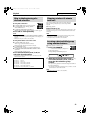
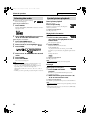
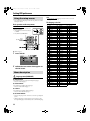
7 To tune in to a preset station
1
2
Press FM/AM repeatedly to select FM or
AM.
Press number button(s) (1-10, h10) to
select a preset number.
• For details on using the number buttons, see “How to use the
number buttons”. (See page 22.)
NOTE
• You can also select a preset number by pressing Cursor 3/2.
37
The current Beat Cut mode appears on the display window.
Each time you press the button, the Beat Cut mode changes.
• Choose “BEATCUT1” or “BEATCUT2” according to which gives
clearer sound.