1
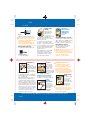
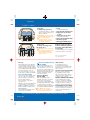
DRIVER’S VIEW
1 2 2 3 4 56 7
8
3
2
4
x1000
9 10 11
6
7
0
E
P
R
N
D
M
5
1
F
8
8
TRIP
60
40
20
80
mph
100
100 120
80
km/h 140
160
60
180
40
20
120
200
220
0
5 12 13 14 5
140
H
2112
382.3
REAR
C
MODE
ON
VOL+
–
OFF
15
SET +
SET -
C
H
C
A/C
AUTO
MODE
H
DUAL
OFF
OUTSIDE
PASS
FRONT
REAR
REAR
CONTROL
16
17
18
22
21
P
R
N
M
D
27 26 25 24 23
28
19
29
18
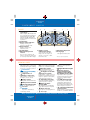
1. Power window switches,
see Mirrors/Windows
2. Door locks, see Locks
3. Mirror controls,
see Mirrors/Windows
4. HID headlights
leveling switch*
Set position at 0 unless vehicle
is loaded heavily, leveling
switch adjusts headlight angle
to compensate for weight of
passengers and cargo, see
Owner’s Manual.
5. Air vents
6. TCS OFF switch,
see Instrument Cluster
7. Turn signal/lighting control
lever, see Getting Started
8. Audio control switches,
see Audio Systems
9. Horn/Air bag
10. Cruise control,
see Getting Started
*Denotes optional equipment
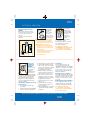
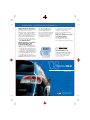
Getting Started
MAZDA CX-9 Quick Tips® are
designed to quickly familiarize
you with some important
features of your MAZDA CX-9.
This Driver’s View tab is your
index to the Quick Tips®, locate
the item you would like to
learn more about and then
turn to the listed tab.
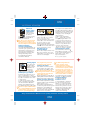
Be sure to see the tab called
Getting Started, this section
contains important operating
tips about your MAZDA CX-9.
Items identified in blue text
call out unique features.
20
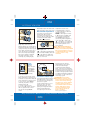
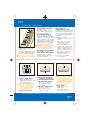
11. Wiper/washer control lever,
see Getting Started
12. Information display,
see Audio Systems
13.
Hazard warning switch
Push to activate/deactivate.
14. Passenger air bag off
indicator, see Getting Started
15. NAVI display*,
see Owner’s Manual
Audio system,
see Audio Systems
16. Climate control panel,
see Climate Controls
17. Seat warmer*, Press: On/off.
18. Accessory socket
19. Cup holders
To access cup holders:
Press cover down and lift.
20. Auxiliary jack
Connect portable music device
to in-vehicle audio system.
21. Gearshift lever, see Transaxle
22. Storage
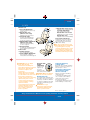
23. Tilt/telescopic steeringwheel release lever,
Pull lever down to unlock
column; adjust tilt angle/column
length; pull up to lock column.
WARNING: Do not adjust
steering-wheel while driving
because you may lose control
of the vehicle.
24. HF/TEL Hands-Free Telephone
button*, see Getting Started
25. Power liftgate switch*
Press for one second or more
to fully open/close liftgate.
26.
Hood release handle
Pull release handle to unlock.
27. Parking-brake
To engage: Push down; to release:
Push down slightly, then release.
28. BSM OFF switch*,
see Getting Started
29.
Fuel-filler lid release
To open: Pull lever upward
and release.
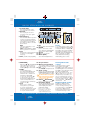
Always check the Owner’s Manual for more operating information and safety features
Driver’s
View