1
XF Camera System | Exposure Compensation
Exposure Compensation
The Exposure Compensation function is available primarily for
the automatic exposure modes (Av, Tv, and P), but it can also
be used in Manual exposure mode. Compensation can be set
from -5 to +5 EV in either 1/3, 1/2 or 1 EV increments. By default, exposure compensation is applied in 1/3 EV increments.
Apply Exposure Compensation
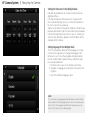
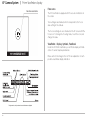
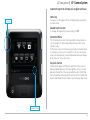
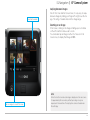
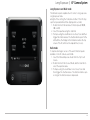
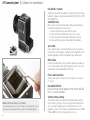
Exposure Compensation can be selected from the camera’s
top-screen by tapping the Exposure Compensation scale and
scroll through the value (EV value) using the rear or side dials.
If, for some reason you want to avoid using touch, an alternative method can be applied using Keys and Dials:
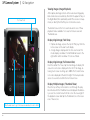
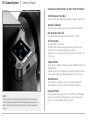
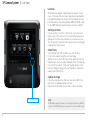
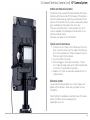
1. Press and release the Front Key on the XF top. This will
highlight the last chosen feature in the control panel displayed on the top touch-screen.
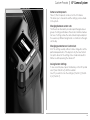
2. Rotate the Front Dial to scroll through the Function icons
on the control panel. Note, each function selected is highlighted in-turn and remains active for 3 seconds.
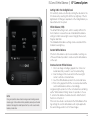
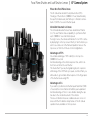
3. Select the Exposure Compensation function, and scroll
using the Rear or Side Dial to increase or decrease the
setting. The EV value applied is displayed on the Top
Touch Screen and in the viewfinder display and remains
fixed, regardless of the number of captures. To remove
any exposure compensation applied, access the function
again and set the value to 0 (zero).
26