1
Chapter 3 DX-Series Remote Management
Configuration
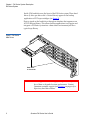
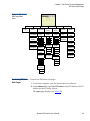
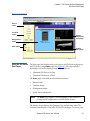
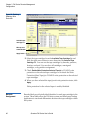
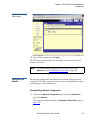
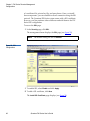
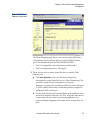
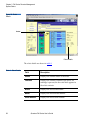
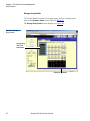
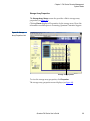
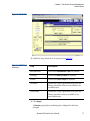
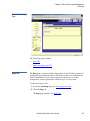
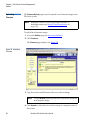
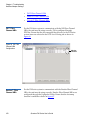
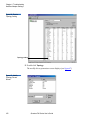
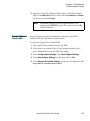
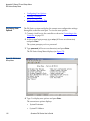
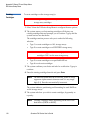
Figure 22 Enabling/
Disabling Write
Protection
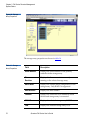
Tapes configuration
page
Available tape
cartridge list
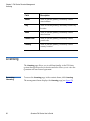
Write protect
enable/disable
Apply button
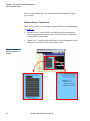
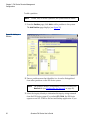
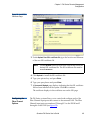
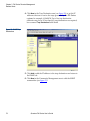
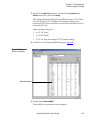
2 Select the tape cartridges from the Available Tape Cartridge list and
click the right arrow button to move them into the Selected Tape
Cartridge list. You can sort the tape cartridges by barcode, partition,
location, and used. You can show all cartridges, unassigned
cartridges, or by partition assignment.
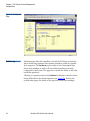
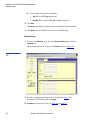
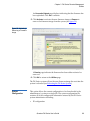
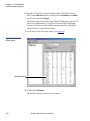
3 Check Enable Write-Protection Selected Tape(s) to ENABLE write
protection on the selected tape cartridges or un-check the WriteProtection Select Tape(s) to DISABLE write protection on the selected
tape cartridges.
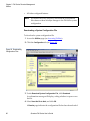
4 When you have selected the tape(s) and write protection status, click
Apply.
Write protection for the selected tapes is enable/disabled.
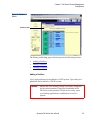
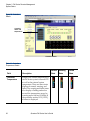
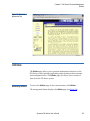
Barcode
Assignment
40
3
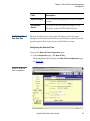
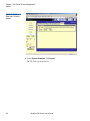
Barcode labels provide individual identities for each tape cartridge in the
system. These labels allow the DX-Series system and third-party backup
applications to track and differentiate between the tape cartridges within
the system.
Quantum DX-Series User’s Guide