1
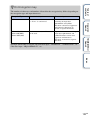
Image management file error
Access Point not found
• Check the Access Point settings.
• Check the settings on the Access Point side.
• Check that you are in the active area of the Access Point.
• Check the Access Point settings.
• Check the settings on the Access Point side.
• Check that you are in the active area of the Access Point.
• Check the settings of the DLNA device you are attempting to connect to.
HOME/MENU
Search
Cannot connect
Operation
Search
• Import all of the images to the computer with “PMB”, and format the “Memory Stick Duo” or the
internal memory (page 54).
When you cannot import all of the images to the computer with “PMB”, import all of the images to
the computer without using “PMB” (page 136).
To view the images again with the camera, export the imported images to the camera with “PMB”.
Table of
contents
• The number of images exceeds that for which date or event management by the camera is possible.
Delete images from the Date View or Event View.
Cannot connect to network
Please select again later
Index
• Currently disconnecting from the Access Point.
Enter an encryption key
5 to 26 characters in length
Enter an encryption key
8 to 64 characters in length
• You have entered an encryption key that exceeds the correct number of characters or digits
(page 120).
Cannot use PPPoE with image sharing
Cannot use PPPoE with other device
• Cancel PPPoE settings of the Access Point.
Connectable device not found
Previously connected device not found
• Check that the connected device and Access Point are connected.
• Check that the connected device is ready.
Unknown error occurred
• An error occurred during processing. Operate the camera again.
Invalid response
• Check the state of the connected device.
165GB