1
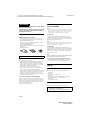
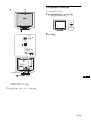
1 Remove the back cover.
2 Connect your monitor to a computer.
Connecting a Macintosh computer
Connect the supplied video signal cable to a video output connector
on the computer. If necessary, use an adapter (not supplied). Connect
the adapter to the computer before connecting the video signal cable.
3 Connect the supplied power cord to the monitor’s
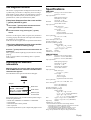
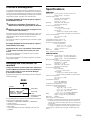
Turning on the monitor and
computer
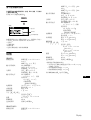
Turn on your monitor first, then a computer.
1 Press upward the 1 (power) switch on the front
right of the monitor.
The 1 (power) indicator lights up in green.
AC IN connector.
4 Connect the power cord to a power outlet.
back cover
1
lights in
green
OK
MENU
2 Turn on the computer.
US
to the HD15
(RGB) input
connector
2
HD15-HD15
video signal
cable (supplied)
3
to AC IN
to power outlet
4
power cord
(supplied)
The illustration of the back of the monitor show here is that
of the SDM-HS53.
The same applies for the SDM-HS73/HS93 model.
Note
For details on securing the cords, refer to the Operating Instructions on the
CD-ROM.
3 (US)