1
589-095006_W188_NA_EN_589-095006_W188_NA_EN 3/11/11 8:39 AM Page 42
Waypoints Mode includes the Track Back feature that allows you
to navigate from your current position to a stored waypoint.
Waypoints Mode does not operate in conjunction with the
chronograph. This mode displays and automatically updates
current positional information, but does not keep time. In addition,
Waypoints Mode does not display any performance data.
If you attempt to set more than 10 waypoints, you will receive
the message MEMORY FULL.
NOTE: You can also store waypoints in Navigate Mode.
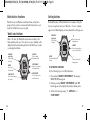
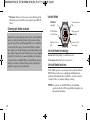
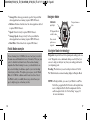
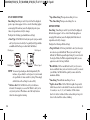
TO VIEW OR EDIT WAYPOINTS
View stored
waypoints
NOTE: Waypoints Mode will not operate without the use of the
GPS-3D Sensor. If the GPS-3D Sensor is not operational,
you will receive the message NO GPS DATA.
Change label for
stored waypoints
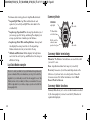
TO OPERATE WAYPOINTS MODE
Erase stored
waypoints
1. Press MODE until Waypoints Mode appears.
2. Begin moving. The Watch automatically updates displayed
positional information.
1. Press ▲ (DISPLAY) to recall a stored waypoint.
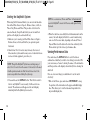
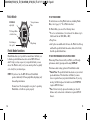
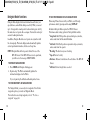
TO STORE A WAYPOINT
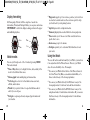
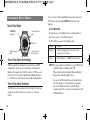
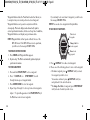
2. Choose one of the following options to view or edit a waypoint:
1. Press and hold START/SPLIT to store a waypoint.
❖
2. Press + (DISPLAY) or - (STOP/RESET) to scroll
through the nine pre-set waypoint labels.
3. Press DONE (MODE) to store the waypoint.
4. Repeat steps 1 through 3 to store up to nine other waypoints.
To view a waypoint, press ▲ (DISPLAY) until you locate
the waypoint you wish to view.
You can also continue to press ▲ (DISPLAY) until you
navigate back to the current location.
❖
To change the label of a waypoint, press SET/FORMAT
until you locate the label you wish to use.
A plus ( + ) sign will appear above the START/SPLIT key if
the Watch has room for more waypoints.
42
43