1
Operating Instructions
Foreword
We are pleased to welcome you as a new customer of our Sophos SG appliances.
To install and configure the hardware appliance you can use the following
documents:
ÌÌ Hardware Quick Start Guide: Connection to the system peripherals in a few steps
ÌÌ Operating Instructions: Notes on the security and
commissioning of the hardware appliance
ÌÌ Administration Guide: Installing and configuring the software appliance
The Hardware Quick Start Guide and the Security Notes are also delivered in printed
form together with the hardware appliance. The instructions must be read carefully
prior to using the hardware and should be kept in a safe place.
You may download all user manuals and additional documentation from the support
webpage at: sophos.com/support
Security Symbols
The following symbol and its meaning appears in the Hardware Quick Start Guide,
Security Notes and in these Operating Instructions.
Caution and Important Note. If these notes are not correctly observed:
ÌÌ This is dangerous to life and the environment
ÌÌ The appliance may be damaged
ÌÌ The functions of the appliance will be no longer guaranteed
ÌÌ Sophos shall not be liable for damages arising from a
failure to comply with the security notes
Designed Use
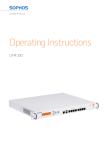
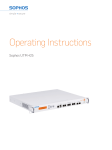
The hardware appliances are developed for use in networks. The SG 430/450 models
may be operated as a standalone appliance. The hardware appliance can be used in
commercial, industrial and residential environments.
The SG 430/450 models belongs to the appliance group A.
The hardware appliance must be installed pursuant to the current installation notes.
Otherwise failure-free and safe operation cannot be guaranteed. The EU declaration
of conformity is available at the following address:
Sophos Technology GmbH
Amalienbadstr. 41/Bau 52
76227 Karlsruhe
Germany
SG 430/450
1