1
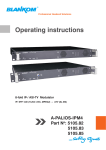
A-PALIOS-IPM4
o
Part N : 5105.82
8-fold IP-/ ASI-TV Modulator
IP/ SFP/ ASI (H.264/ AVC, MPEG2) → ATV (8x AM)
Content
1. Safety and operating instructions............................................................................................................ 3
2. Device variants ...................................................................................................................................... 3
3. Software options...................................................................................................................................... 3
4. General
...................................................................................................................................... 3
5. Main features
...................................................................................................................................... 3
6. Functional description.............................................................................................................................. 3
7. Explanation of the operating elements.................................................................................................... 4
7.4 Meaning of the LED‘s on rear.......................................................................................................... 5
7.4.1 LED’s at the 10/ 100/ 1000 Mbit stream port 1............................................................................. 5
7.4.2 LED’s at the 10/ 100/ 1000 Mbit stream port 2 ............................................................................ 5
7.4.3 Status LED at the ASI socket........................................................................................................ 5
7.4.4 Status LED at the output coupler................................................................................................. 5
8. Adjusting by web interface....................................................................................................................... 6
8.1 Network connection to the computer.............................................................................................. 6
8.2 Setting of individual parameters...................................................................................................... 7
8.2.1 Menu ”Overview”.......................................................................................................................... 8
8.2.2 Menu “IP input”............................................................................................................................. 9
8.2.2.1 SFP option............................................................................................................................... 10
8.2.3 Menu ”CI setup”......................................................................................................................... 11
8.2.4 Menu ”Program”......................................................................................................................... 13
8.2.5 Menu ”Adjustment”..................................................................................................................... 13
8.2.6 Menu ”Language”....................................................................................................................... 16
8.2.7 Menu ”Setup”............................................................................................................................. 16
8.2.8 Menu ”Service”........................................................................................................................... 21
8.2.9 Menu ”Level”............................................................................................................................... 21
8.2.10 Menu ”Status”........................................................................................................................... 22
9. Factory settings .................................................................................................................................... 23
10. Block diagram .................................................................................................................................... 24
11. Application example............................................................................................................................. 24
12. Technical data .................................................................................................................................... 25
13. Glossary
.................................................................................................................................... 25
14. Bibliography
.................................................................................................................................... 26
Declaration of Conformity ......................................................................................................................... 27
2