1
Operating Instructions
Model
Operating Instructions
General Information
RCA01-5001M-01
Package Content
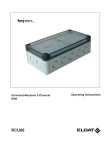
Radio Access Control
Antenna with magnetic base
PG screw fittings set
Mounting accessories for the PCB
Safety Advice
Before connecting and startingup the unit, carefully read through
the operating instructions!
We will not accept any liability for personal
injury or damage to property caused by
failure to observe the operating instructions
and in particular the safety advice!
Caution! Electrical installation may only
be carried out by a qualified electrician!
When installing, make sure that the electric circuit into which the radio access
control is to be integrated is at zerovoltage!
Warning! When being programmed, the
Radio Access Control is live!
Program only with the protective cover in
place!
Do not make any unauthorized alterations or
modifications to the unit!
4 History
The Radio Access Control works within the
range of 868 MHz which is also used by other
radio services.
The operation and range can, therefore, be
affected by devices working on the same or
an adjacent frequency.
The reception quality can be affected by a
number of factors:
• Location
• Equipment and systems without interference suppression
• Other transmitters within the frequency
range
• Atmospheric conditions and other factors.
In the case of malfunctions, contact your
specialist dealer or the manufacturer.
At the same time a relay is switched, the
closer of which is available as an additional
output.
Have faulty units checked by the manufacturer!
Press the right ↑ button.
Each time the button is pressed, the memory
location numbers of the last 10 telegrams are
displayed counting down.
You can use the additional function if you want
to release the programming modes (learndelete mode and additional function mode)
using a numerical code.
Note:
This is how to end programming without
saving data:
• Switch to the next additional function:
press button »E«
• Switch to operating mode:
press buttons »L« and »E« simultaneously
How to enter a new numerical code:
1. Using the ↑ buttons, select the desired
numerical code. In order to cancel the numerical code protection, choose »000«
5 Deleting the Memory Completely
2. Confirm the new code by pressing button
»L«.
Note:
If a code with less than three digits is selected,
the error message »err« is displayed.
After switching to the »Deleting the Memory
Completely« menu, »E A« is displayed.
•
Press the left and right ↑ buttons simultaneously.
The entire contents of the memory are deleted. During the deleting procedure
(approx. 8s), the display flashes.
Note:
This is how to end programming without saving data:
• Switch to the next additional function:
press button »E«
• Switch to operating mode:
press buttons »L« and »E« simultaneously
Note:
This is how to end programming without
saving data:
• Switch to the next additional function:
press button »E«
• Switch to operating mode:
press buttons »L« and »E« simultaneously
Intended Use
The RCA01 Radio Access Control is exclusively developed and manufactured as a
receiving and transmitting unit for 48-bit radio
telegrams.
The manufacturer does not assume any
liability for damage caused as a result of
improper or non-intended use.
69104 0608 GB
2
After switching to the numerical code menu,
»C_ _« is displayed.
Function
The RCA01 Radio Access Control is a receiving and transmitting unit operating at 868
MHz. It receives up to 699 individual 48-bit
telegrams and transmits a learned master
telegram, with which, for e.g., the radio receiver of collective garage door controls can
be activated.
6 Entering/Altering the Numerical Code
After switching to the history menu, »H_ _« is
displayed.
69104 0608 GB
7