1
Troubleshooting Installation and Configuration Problems
When started, these processes and services continue to run unless you stop them
manually or there is a problem with the system. On Windows systems, we
recommend you add commands for starting them to your startup scripts, so they are
restarted in case you have to reboot.
Troubleshooting Installation and Configuration Problems
This section outlines steps to resolve installation and common configuration issues.
To Resolve Installation Problems
Note Before you install or use NetBackup on a Linux client, verify that the inetd (or
xinetd) service is started on that machine. This will ensure proper communication
between the NetBackup master and the Linux client.
▼ To resolve installation and configuration issues, ask these questions
1. Could you install the software on the master and media servers by using the release
media?
Some reasons for failure could be:
◆
Not logged in as an Administrator on a Windows system (you must have
permission to install services on the system)
◆
Permission denied (ensure you have permission to use the device and to write the
directories and files being installed)
◆
Bad media (contact customer support)
◆
Defective drive (replace the drive or refer to vendor’s hardware documentation)
◆
Improperly configured drive (refer to system and vendor documentation)
2. Could you install NetBackup client software on the clients?
Note You cannot install PC client software from a UNIX NetBackup server.
◆
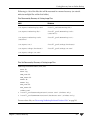
For an install to a trusting UNIX client, verify that you have the correct client
name in your policy configuration and the correct server name in the client
/.rhosts file.
If the install hangs, check for problems with the shell or environment variables for
the root user on the client. The files to check depend on the platform, operating
system, and shell you are using. An example for a Sun system would be if your
14
NetBackup Troubleshooting Guide