1
Operating Additional Equipment
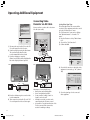
Connecting and Operating
Audio/Video Equipment
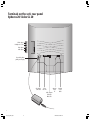
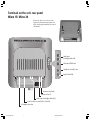
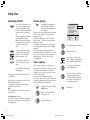
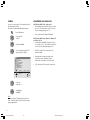
You will find sockets for connecting various
devices on the back of the television set.
The following can be connected: video
recorders and camcorders using the VHS, 8 mm
video, SVHS and Hi8 systems, Pay-TV decoders,
SET-TOP boxes, satellite receivers, video
cameras, DVD Player and many more.
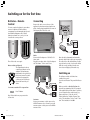
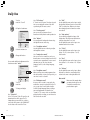
Connecting headphones:
You will find the socket for connecting
headphones with a 3.5 mm stereo jack plug on
the back of the set. Use headphones with an
impedance of 32 ohms or higher.
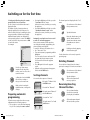
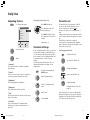
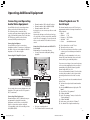
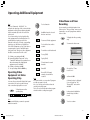
Connecting Hi-fi Amplifier/System:
• Channel number 197 for the AVS sockets
• Channel number 198 for VIDEO IN (VIN)
• Channel number 199 for AV1
In principle, you can connect any video recorder
to the TV set.
However, the design as well as the technology
of Loewe video recorders are perfectly matched
to this TV set. For example, you can operate the
video recorder and the TV set with one remote
control.
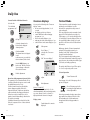
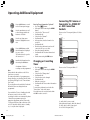
Connecting Video Recorder to VHF/UHF TV
Aerial Input:
Disadvantages of connecting this way:
• Poorer picture and sound quality during
playback.
Mimo
TV
RF-IN
VCR
RF-OUT
HiFi
FM INPUT
75 OHMS
REMOTE
IN
OUT
IN
OUT
L
OUT - TAPE 1 - IN
L
L
L
L
PRE
R
OUT - TAPE 2 - IN
POWER
FUSE TYPE: T3.15 A
INPUT: 230V~ 50/60 Hz
POWER CONSUMPTION: 500VA MAX.
R
R
R
R
AUX 1
CD
TUNER
AUX 2
RIGHT SPEAKERS LEFT
WARNING: THIS APPARATUS MUST BE EARTHED
Mimo
REFER TO
MANUAL
You can make the necessary adjustments to the
playback of TV sound over the Hi-fi system in
the “Sound menu”.
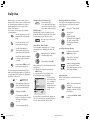
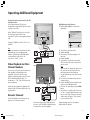
Connecting Video Equipment:
Channel numbers 197 to 199 have been preprogrammed for playback from video
equipment, such as video recorders, DVD
players or camcorders and are assigned
correspondingly to the AV connecting sockets
AV1,VIDEO IN, AVS.
VCR
(1)
ARIAL
RF–OUT
(2)
Video Playback over TV
Aerial Input
The channel number zero on the TV set is preprogrammed with the following information for
video playback:
– Range
UHF
– Channel
E 36
– Frequency 591.25 MHz
– Standard
B/G
– Colour
standard Automatic
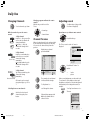
A) Select channel zero on the TV set.
B) Turn on the video recorder.
C) Select the test picture on the video recorder
or insert a pre-recorded tape and switch to
playback.
If the video recorder transmitter is also set to
channel 36 (usual situation), then you should
now be able to get sound and pictures.
If you are not receiving a clear sound or picture,
or not receiving anything, the video recorder is
transmitting on a different channel; possible
channel range UHF 30 to 39.
You can set transmitter channel 36 on the video
recorder; the procedure for this is given in the
operating instructions for the video recorder,
or ...
you can locate and save the transmitter channel
on the TV set.
A) You have already selected channel number
0, now...
B) press the MENU button to display the “TV
menu”.
C) Select the line “Programmes”.
D) Confirm with OK.
E) In the “Programmes” menu, select the line
“Setting manually”.
F) Confirm with OK.
G) In the menu, select the line “Channel”.
H) Set channel E30 using the number keys.
• No stereo sound playback.
• The TV timer function cannot be used.
➝
21
LCD_023_RC4_GB
21
10.08.2004, 14:08 Uhr