1
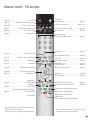
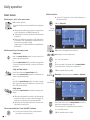
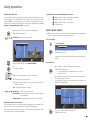
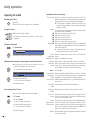
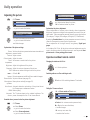
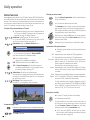
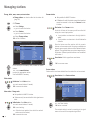
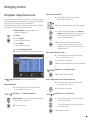
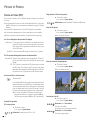
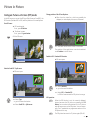
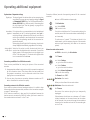
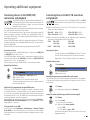
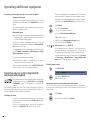
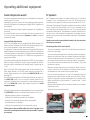
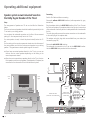
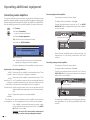
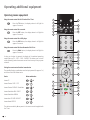
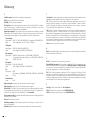
Remote Control – TV Functions
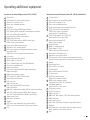
(page 20).............................................................. Sound off/on
(page 52)..................... LED display for current operating mode
Switch on/off
– to standby mode...................................................(page 11)
(page 10; 52)....................................... Switch over to TV mode
Switch over to radio mode (1...............................(page 11; 36)
(page 52)................................. Switch over to operate recorder
(page 49).................................................Timer overview on/off
(page 22).......................................................Set picture format
Switch over to operate DVD player...........................(page 52)
Set sound mode......................................................(page 20)
(page 15)....................................................Assist+ menu on/off
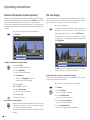
(page 30)........................... Electronic Programme Guide on/off
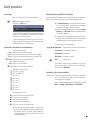
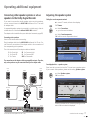
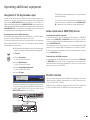
Select station directly;
MENU: Enter numbers or letters...............................(page 18)
AV selection..............................................................(page 19)
PIP on/off (picture in picture)....................................(page 28)
(3 Index on/off (3............................................................(page 15)
MENU: Info texts on/off............................................(page 14)
(page 20)......................................V+/V– volume louder/quieter
Status display on/off (3 ..............................................(page 23)
MENU: Hide menu...................................................(page 14)
P+/P– select station up/down...................................(page 18)
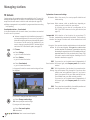
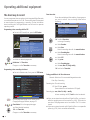
(page 32).......................................................... Teletext on/off
(page 14)............................................................... Menu on/off
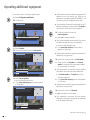
(page 29)................................... PIP: Position of the PIP picture;
(page 14)........................................................ MENU: select/set
Station list on............................................................(page 18)
MENU: confirm/call...................................................(page 14)
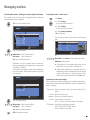
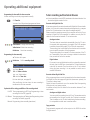
Green button: (3 (page 22)........................................................Teletext functions
Red button: (3 (page 22)............................................................Call DR archive
Yellow button: (3 Previous station..............................(page 22)
Blue button: (3 Programme info on/off.....................(page 22)
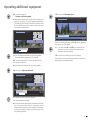
Digital Recorder: Jump back/Rewind/Replay (2
(page 11).................................................... /in the wizard: Back
Digital Recorder: Jump forward/Fast forward (2
Digital Recorder: Play/Set bookmark (2
Direct recording
Radio only for DVB reception, provided the station broadcasts this.
Otherwise switch-over to an audio input.
(2
Description of the functions, see operating manual Digital Recorder.
Digital Recorder: Stop (live picture) (2
Digital Recorder:
Freeze picture/Pause (start offset TV viewing) (2
(1 If MHEG-5 is selected for the location of TV set UK or IRL during the
first installation, the button has a different funktion.
(3
-