1
QAMOS-IPM
Part N : 5111.01
o
IP-/ ASI-TV Modulator/ Multiplexer
IP/ SFP/ ASI → MUX → DVB-C (16x QAM)
SBL
Contents
1. Safety and operating instructions ............................................................................................................... 3
2. Device variants .......................................................................................................................................3
3. Software options .....................................................................................................................................3
4. General ....................................................................................................................................................3
5. Front view ................................................................................................................................................4
6. Functional description .............................................................................................................................4
7. Meaning of the LED’s .............................................................................................................................4
7.1 LED‘s at the 10/ 100/ 1000 Mbit stream port 1 ...............................................................................4
7.2 LED‘s at the 10/ 100/ 1000 Mbit stream port 2 ...............................................................................5
7.3 LED at the ASI socket .....................................................................................................................5
7.4 Status LED’s ...................................................................................................................................5
7.5 LED‘s at the 10/ 100 Mbit control port ............................................................................................5
8. Adjusting via web server .........................................................................................................................6
8.1 Network connection to the computer ............................................................................................6
8.2 Setting of individual parameters .....................................................................................................6
.8.2.1 Menu “Overview“ .........................................................................................................................7
.8.2.2 Menu “IP input“ ...........................................................................................................................8
. 8.2.2.1 SFP option ..................................................................................................................9
.8.2.3 Menu “Multiplexers“ ..............................................................................................................10
.8.2.4 Menu “Transponders“ ............................................................................................................11
.8.2.5 Menu “Adjustment“ ................................................................................................................12
.8.2.6 Menu “Language“ .................................................................................................................13
.8.2.7 Menu “Service“ ......................................................................................................................14
.8.2.8 Menu “Setup“ ........................................................................................................................14
.8.2.9 Menu “Level“ .........................................................................................................................19
.8.2.10 Menu “Status“ .....................................................................................................................19
.8.2.11 Menu “NIT“ ......................................................................................................................... 21
. 8.2.11.1 Automatic NIT processing .......................................................................................21
. 8.2.11.2 Manual NIT processing ...........................................................................................22
.8.2.12 Menu “LCN“ ........................................................................................................................23
.8.2.13 Menu “Program table“ ........................................................................................................23
.
9.Factory settings .....................................................................................................................................24
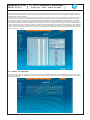
10. Conversion tool to produce a compliant TS file for QAMOS-IPM ......................................................25
10.1 Functional scope ........................................................................................................................25
10.2 Installation requirements ............................................................................................................25
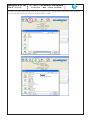
10.3 Installation and integration of the conversion tool on a Windows (XP) system .........................25
10.4 Error prevention ..........................................................................................................................27
10.5 Glossary - parameter declaration [min. … max. range] .............................................................27
10. Block diagram .....................................................................................................................................28
11. Application example ............................................................................................................................28
12. Technical data .....................................................................................................................................29
13. Glossary ..............................................................................................................................................29
14. Bibliography ........................................................................................................................................30
15. Notes on the device software ..............................................................................................................30
16. Document history ................................................................................................................................30
Declaration of Conformity ...................................................................................................................31
2