1
Contents
Contents .................................................................................................................................................. 2
Acronyms and Abbreviations .................................................................................................................. 3
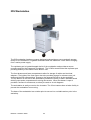
IDS Introduction ...................................................................................................................................... 4
IDS Laptop .............................................................................................................................................. 5
Power Supply ...................................................................................................................................... 5
Battery Charging.................................................................................................................................. 6
System Standby and Hibernation........................................................................................................ 6
Battery Calibration ............................................................................................................................... 7
Panasonic Toughbook Connections.................................................................................................... 8
Panasonic Toughbook Functions ...................................................................................................... 10
DVD Drive.......................................................................................................................................... 13
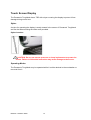
Touch Screen Display ........................................................................................................................... 14
Stylus ................................................................................................................................................. 14
Operating Modes ............................................................................................................................... 14
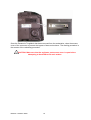
Calibrating the Touch Screen............................................................................................................ 16
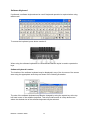
Software Keyboard ............................................................................................................................ 17
Navigation.......................................................................................................................................... 18
Docking and Undocking ........................................................................................................................ 18
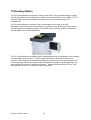
Vehicle Communication Module (VCM) ................................................................................................ 20
VCM Driver Software......................................................................................................................... 21
T4 Docking Station................................................................................................................................ 22
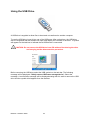
Using the USB Drive ............................................................................................................................. 24
PDF995 – Electronic Printing ................................................................................................................ 25
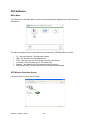
Main Menu ......................................................................................................................................... 26
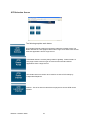
GTR Marque Selection Screen ......................................................................................................... 26
GTR Selection Screen....................................................................................................................... 27
IDS Configuration Manager ............................................................................................................... 28
IDS Restore Software ........................................................................................................................... 28
Set Z:\ Drive .......................................................................................................................................... 29
T4 / IDS Software Installation ............................................................................................................... 30
Copying discs to the hard drive ......................................................................................................... 30
Running T4 from the hard drive......................................................................................................... 31
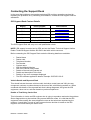
Contacting the Support Desk ................................................................................................................ 32
IDS Support Desk Contact Details .................................................................................................... 32
Trace Monitor .................................................................................................................................... 33
Car Configuration Files (CCF)............................................................................................................... 34
Going Mobile with IDS........................................................................................................................... 36
The information contained in this User Guide was correct at the time of printing.
NOTE: The IDS software is subject to continuous development. Therefore, deviations may
occur between the test procedures/scope of testing described in this user guide and IDS.
Release 1.0 March 2006
2