1
DisplayNote User Guide Version: 2.0
Thank you for choosing DisplayNote. This user guide will give you all the information
you need to get started.
1. Creating a DisplayNote Account
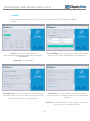
Whether you are starting a free trial or registering a license key; you will need to
create a DisplayNote Presenter Account. Visit:
http://displaynote.com/get-displaynote/
Complete the form on this page and confirm your email address. If you have not
already, download the desktop software (see 2, 2.1 & 2.2) and login using the
account details you have created to start presenting.
2. Downloads
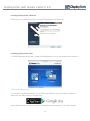
Get the software for your computer. Your computer acts as the host of any
DisplayNote session.
2.1 Download for Computer
Download here:
http://displaynote.com/get-displaynote/downloads/
Minimum Specification:
Recommended Specification:
1.8GHz Processor
1GB Memory
100MB Free Hard Drive Space
Windows XP Home SP3 or Newer
Mac OS X 10.7 or Newer
2.0GHz Dual-Core Processor or Higher
2GB Memory or Higher
500MB Free Hard Drive Space
Windows 7 Home Premium or Newer
Mac OS X 10.7 or Newer
2