1
GNSS Module
L76 EVB User Guide
mode in the opposite operation.
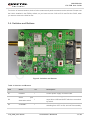
K1
FORCE_ON
I
Press and release the button, the module will be
waked up from backup mode.
K2
RESET
I
Press and release this button, then the module
will reset.
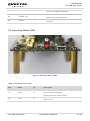
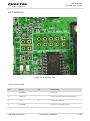
3.5. Operating Status LEDs
l
e
t
l
c
a
e
i
t
u
n
Q ide
f
n
o
C
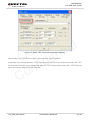
Figure 9: Operating Status LEDs
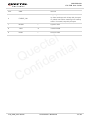
Table 3: Operating status LEDs
Part
Name
I/O
Description
L1
TXD1
O
Flash: turn on successfully, Micro-USB or UART1
port can output messages.
Extinct: fail to turn on the module.
L2
1PPS
O
Flash: fix successfully, the frequency is 1Hz.
Extinct: no fix.
L76_EVB_User Guide
Confidential / Released
14 / 25