1
AK-CS
User Guide
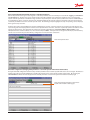
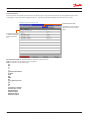
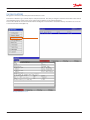
CONFIGURATION->NETWORK NODES-> CONFIG STATUS
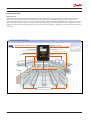
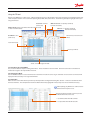
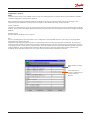
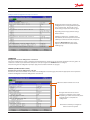
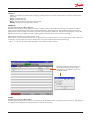
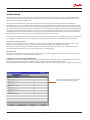
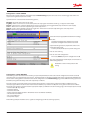
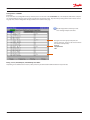
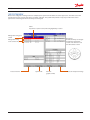
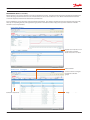
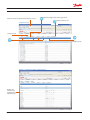
The scan status menu will list all configured AK I/O and controllers. Typically this list is used to identify the device status (online /
offline).
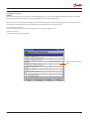
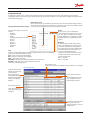
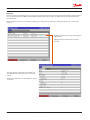
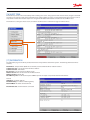
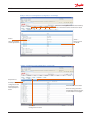
Duplicates Tab
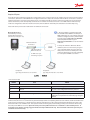
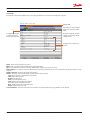
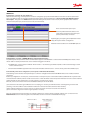
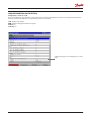
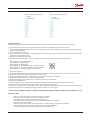
Check this list to make sure no two devices have been assigned the same network address. Any duplicate address will be shown in this
list. Correct any address issues and re-scan.
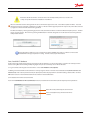
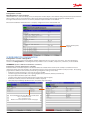
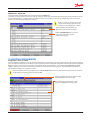
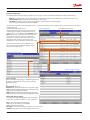
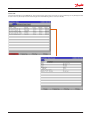
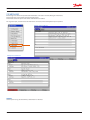
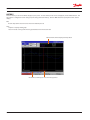
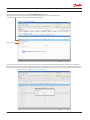
Upload Tab
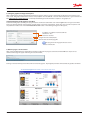
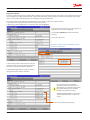
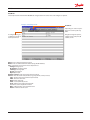
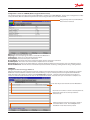
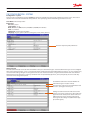
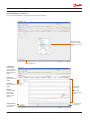
The upload tab will list any controllers that have been uploaded. The upload function can be performed in the Configuration->Control
area (one controller at a time) or here (multiple devices with one command). The process of an upload takes the current parameter
settings and values from the controller(s) and loads them into the AK-CS database. This operation ensures that the AK-CS database is
synchronised with any pre-configured controllers on the control network. Any upload failure will be shown on this screen, else a time /
date stamp will be shown
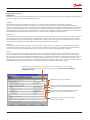
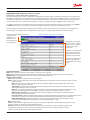
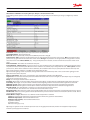
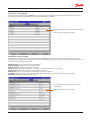
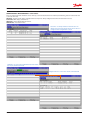
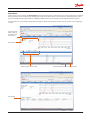
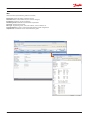
Download Tab
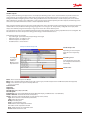
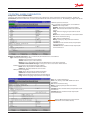
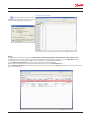
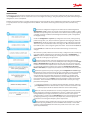
The download tab will list any controllers that have been processed for download (where the AK-CS sends parameter data to the
device). The download function can be performed individually under the Configuration->Control page or here, where multiple
controllers can be selected for download (using one command). The process of a download takes the AK-CS database values and
downloads them to the selected controller(s). Any upload failure will be shown on this screen, else a time / date stamp will be shown
Lit. no. USCO.EI.RF0.B3.22 / 521U0143
69