1
Index
1. Application and components
2. Design ecom-DP
3. Connection of components
4. Initialisation
4.1. Power supply
4.2. Accumulator charging
4.3. Clock set
5. Numerical indication
5.1. Zeroing pressure sensors
8
5.2. Freezing measurement values
5.3. Min. / Max. measurement values
5.4. Printout measurement values
5.5. Contrast and display backlit
6. Control programmes
6.1. Setup
6.2. Pressure check
6.3. Preliminary check
6.4. Main check
6.5. Usability check
7. Set clock
8. Internal instrument settings
8.1. Switch on/off key beep
8.2. Pressure Auto -> 0 by start
8.3. Choose printer (ecom-P)
8.4. Battery loading
8.5. Display damping
8.6. Pressure unit
9. Sensor setup
10. View service info
11. Data logger program „ecom-DP Logger“
12. Technical data ecom-DP
13. Maintenance tip
Page 2
Page
3
4
5
6
6
6
8
9
9
9
10
11
12
13
14
17
17
18
18
18
18
19
20
20
21
22
23
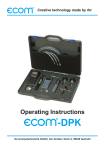
ecom-DPK