1
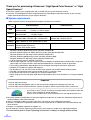
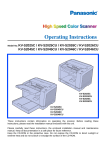
Thank you for purchasing a Panasonic “High Speed Color Scanner” or “High
Speed Scanner.”
≥ Panasonic supports your imaging needs with a reliable and easy to use document scanner.
≥ Panasonic has developed Panasonic Image Enhancement Technology to improve the quality of your scanned
images even beyond the quality of your original document.
∫ System requirements
When using the scanner, the required host computer conditions are as follows.
SCSI Connection
USB Connection
CPU
Minimum
Recommended
Pentium® III, 1 GHz
Pentium 4, 2 GHz or higher
Memory
Minimum
Recommended
256 MB
512 MB or higher
OS
Display
Interface
Windows® 98*1 / Windows NT ®*3 4.0 /
Windows 2000*4 / Windows Me*2 / Windows XP*5
Windows 98 SE / Windows 2000 SP4 /
Windows Me / Windows XP SP1
1024k768 dots or more, 65536 colors or more
SCSI III
Recommended SCSI board
Adaptec SCSI 29160 / 39160
USB 2.0
*1
Microsoft® Windows 98 operating system (hereafter Windows 98)
Microsoft Windows Millennium Edition operating system (hereafter Windows Me)
*3 Microsoft Windows NT operating system (hereafter Windows NT)
*4 Microsoft Windows 2000 operating system (hereafter Windows 2000)
*5 Microsoft Windows XP operating system (hereafter Windows XP)
§ 1 GB or more free space is required in the HDD.
§ Color images larger than A3 size cannot be scanned in 600 dpi on Windows 98 or Windows Me. A large size
color image may not be scanned in high resolution depending on a computer system or application.
§ The scanning speed differs depending on the host computer operating environment or application.
§ Windows NT 4.0 does not support USB interface.
§ For Windows NT 4.0, you must install the ASPI layer software that the SCSI board vender provides.
§ Use USB 2.0 interface because scanning speed of USB 1.1 interface is slow.
§ If you connect the scanner to a USB hub, it is not guaranteed to work.
§ When using the scanner with other SCSI devices connected by daisy chain connection, it is not guaranteed to
work.
*2
Important
≥ Do not duplicate currency.
≥ Do not duplicate copyrighted material or the work of others except for the purpose of private use.
≥ Do not duplicate any kind of certificates, licenses, passports, official or private documents, and the like.
As an ENERGY STAR® Partner, Panasonic has determined that this product meets the
ENERGY STAR guidelines for energy efficiency.
(ENERGY STAR and the ENERGY STAR certification mark are registered US marks.)
≥ Microsoft, Windows and Windows NT are either registered trademarks or trademarks of Microsoft Corporation in
the United States and/or other countries.
≥ ISIS is a registered trademark of Pixel Translations, a division of Captiva Software Corporation.
≥ Pentium is a trademark or registered trademark of Intel Corporation or its subsidiaries in the United States and
other countries.
≥ Adaptec is a registered trademark of Adaptec, Inc.
≥ Each company’s name or company product name is each company’s trademark or registered trademark.
The information given in these Operating Instructions is subject to change without notice.
2