1
PlaybackPro Plus User Guide
!
SimpleSync Basics
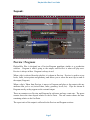
SimpleSync controls multiple computers running PlaybackPro Plus simultaneously
(sync roll), and is a companion to the PlaybackPro Plus application.
It utilizes Apple’s Bonjour technologies for easy discovery and communication over
TCP/IP networks (ethernet, etc.). SimpleSync acts as a command server, while
instances of PlaybackPro Plus act as clients.
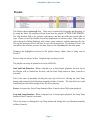
Clips can be loaded into Preview on PlaybackPro Plus clients by typing their Clip
Numbers directly into SimpleSync. Clip Numbers can be assigned to the same, or to
different clips, on each computer. This makes sync roll recall easy.
PlaybackPro Plus utilizes QuickTime for video decoding, which is based on each
computer’s real time internal clock. Successive frames will still occur at the expected
time, even if a frame needs to be dropped.
If clips on different computers are started at exactly the same time, they will remain in
sync as long as their internal clocks do not drift apart during the duration of the clip.
OSX’s built in NTP (Network Time Protocol) can be used to eliminate clock drift for
extremely accurate sync (for further information see NTP).
!
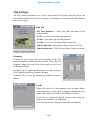
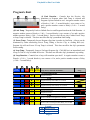
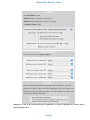
To use SimpleSync, select it from the
Connection popup menu. SimpleSync
must be running on the network for this
option to be available. Select No
Control from the Connection popup
menu to stop all communications.
!
!
Page 10