1
UG-257
Evaluation Board User Guide
09727-011
LOW NOISE QUICK TEST
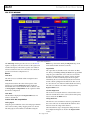
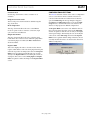
Figure 11. Low Noise Quick Test
When Low Noise Quick Test is clicked in the main window,
the user can quickly and easily measure the rms noise of the
AD7195. The software configures the AD7195 to have a
gain of 128 and an output data rate of 4.7 Hz. In addition,
Channel AIN1-AIN2 is selected, and the reference voltage
is set to 5 V (the software assumes that the 5 V from the USB
is used as the reference to the AD7195). The software also
provides instructions on the link positions for the AD7195
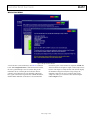
evaluation board. When the instructions given on each window
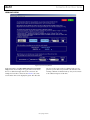
are completed, click OK. The AD7195 gathers 100 samples,
displays the results in the waveform, and analyzes the data to
calculate the maximum conversion, minimum conversion, and
average conversion. The rms noise, peak-to-peak noise, and
resolution are also calculated.
Rev. 0 | Page 10 of 20