1
Chapter 17: SNMPv3 Configuration
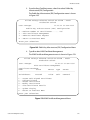
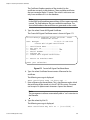
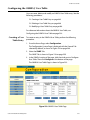
Configuring the SNMPv3 View Table
This section contains a description of the SNMPv3 View Table and how
to create, delete, and modify table entries. Creating this table, allows you
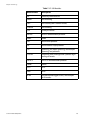
to specify a view using the following parameters:
❑ Subtree OID
❑ Subtree Mask
❑ MIB OID Table View
To configure the SNMPv3 View Table, you need to be very familiar with
the MIB tree. You can be very specific about the view a user can or
cannot access—down to a column or row of the tree. AT-S62 supports
the Internet subtree of the MIB tree. See RFC 2575 for detailed
information about defining a view.
There are three functions you can perform with the SNMPv3 User Table.
❑ Creating an SNMPv3 View Table Entry on page 244
❑ Deleting an SNMPv3 View Table Entry on page 247
❑ Modifying an SNMPv3 View Table Entry on page 248
Creating an
SNMPv3 View
Table Entry
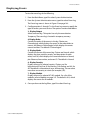
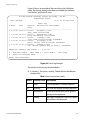
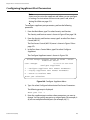
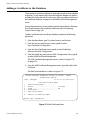
To create an entry in the SNMPv3 View Table, perform the following
procedure.
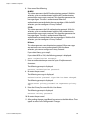
1. Follow steps 1 through 3 in the procedure described in Creating an
SNMPv3 User Table Entry on page 234. Or, from the Main Menu type
5->5->5.
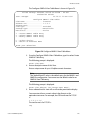
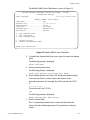
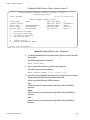
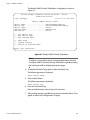
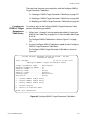
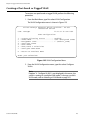
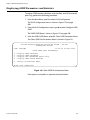
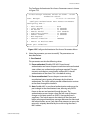
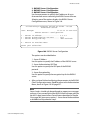
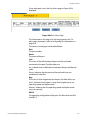
The Configure SNMPv3 Table Menu is shown in Figure 71 on page
235.
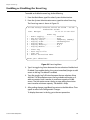
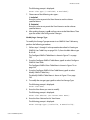
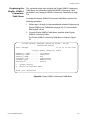
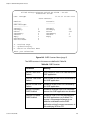
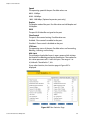
2. From the Configure SNMPv3 Table Menu, type 3 to select Configure
SNMPv3 View Table.
Section III: SNMPv3 Operations
244