1
Summit User's Guide for Software Version 2.02
3 von 25
http://www.summitdatacom.com/Documents/Summit_Users_Guide_C...
an integrated supplicant that supports a broad range of security capabilities, including:
802.1X authentication using pre-shared keys or an EAP type, required for WPA2 and WPA
Data encryption and decryption using WPA2 AES, WPA TKIP, Cisco TKIP, or WEP
The following EAP types are supported by the Summit software integrated supplicant and can be
configured in SCU:
PEAP - Provides secure user authentication by using a TLS tunnel to encrypt EAP traffic. Two
different inner methods are used with PEAP:
EAP-MSCHAPV2, resulting in PEAP-MSCHAP - This is appropriate for use against Windows
Active Directory and domains
EAP-GTC, resulting in PEAP-GTC - This can be used for authentication with static (login)
passwords against a variety of databases. It also can be used for authentication with one-time
passwords (OTPs) against OTP databases such as SecureID. Because Summit software
does not support session resume, the use of PEAP-GTC with OTPs is not recommended.
When a client device is power-cycled, or when the radio roams from one access point (AP) to
another, the user must re-enter the OTP.
EAP-TTLS - Is an alternative to PEAP that, like PEAP, provides secure user authentication by using
a TLS tunnel to encrypt EAP traffic.
EAP-TLS - Provides secure user authentication by using a TLS tunnel to encrypt EAP traffic.
Provides very strong security, but relies on client certificates for user authentication credentials.
LEAP - Is an authentication method for use with Cisco WLAN APs. LEAP does not require the use
of server or client certificates. LEAP supports Windows Active Directory and domains but requires
the use of strong passwords to avoid a vulnerability to offline dictionary attacks.
EAP-FAST - Is a successor to LEAP and does not require strong passwords to protect against
offline dictionary attacks. Like LEAP, EAP-FAST does not require the use of server or client
certificates and supports Windows Active Directory and domains. EAP-FAST requires the
provisioning of a protected access credential (PAC). SCU supports PACs that are provisioned
manually and stored on the client device; SCU also supports dynamic PAC provisioning.
PEAP, EAP-TTLS, and EAP-TLS require the use of Windows facilities for the configuration of digital
certificates.
With each of the EAP types supported by SCU, if authentication credentials are not stored in the active
configuration profile, then the user is prompted to enter those credentials the first time the radio tries to
associate to an AP that supports 802.1X (EAP).
2.0 Getting Started
Before you can use a Summit radio, you or your device manufacturer must install Summit software and the
radio in your computing device. If you are doing the software and hardware installation, then you will need
the following:
A mobile computing device:
With a compact flash (CF) Type I or Type II slot or a PCMCIA (PC Card) Type II slot
That runs an operating system supported by Summit software (see Section 1.0)
Summit software
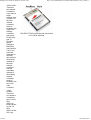
A Summit radio module or radio card
For a radio module, antennas, each with a cable that is fitted with a Hirose U.FL connector that can
be attached to an antenna connector on the radio module:
10G: One or two antennas for 2.4 GHz (802.11b and 802.11g)
10AG: One or two antennas for 2.4 GHz (802.11b and 802.11g) and one or two antennas for 5
GHz (802.11a)
It is recommended that you install the software before you install the hardware. If you insert the card in your
device before you install the software, then the "Found New Hardware Wizard" screen will appear, and you
must select Cancel to cancel the Hardware Wizard.
19.01.2010 09:15