1
Contents
About RemotelyAnywhere..............................................................................................................6
RemotelyAnywhere System Requirements.................................................................................................................6
Installing RemotelyAnywhere.........................................................................................................7
RemotelyAnywhere Default Installation......................................................................................................................7
RemotelyAnywhere Custom Installation.....................................................................................................................7
Activating RemotelyAnywhere....................................................................................................................................7
Accessing RemotelyAnywhere........................................................................................................9
About Dynamic IP Addresses.....................................................................................................................................9
Accessing RemotelyAnywhere through a Firewall or Router......................................................................................9
Mapping a Firewall Port to the Computer.............................................................................................................10
Accessing RemotelyAnywhere through a Firewall.................................................................................................10
Logging In to RemotelyAnywhere..................................................................................................11
Advanced RemotelyAnywhere Login Options.............................................................................................................11
Bypassing the RemotelyAnywhere Login Screen........................................................................................................11
RemotelyAnywhere User Interface................................................................................................13
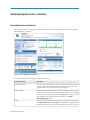
RemotelyAnywhere Dashboard.................................................................................................................................13
RemotelyAnywhere Dashboard Features..............................................................................................................14
RemotelyAnywhere Performance Data Viewer..........................................................................................................15
RemotelyAnywhere Quicklinks..................................................................................................................................15
Log Out and Timeout................................................................................................................................................15
RemotelyAnywhere System Tray Icon.......................................................................................................................15
Using Remote Control...................................................................................................................17
Starting Remote Control...........................................................................................................................................17
About HD Remote Control.........................................................................................................................................17
Changing How You View the Host.............................................................................................................................18
How to View the Host Computer in Full Screen Mode............................................................................................18
How to Magnify a Section of the Host Screen........................................................................................................18
How to Change Screen Size During Remote Control..............................................................................................18
How to Switch Between Multiple Host Monitors during Remote Control................................................................19
How to Change the Color Quality of the Host Screen.............................................................................................19
How to Optimize Remote Control Performance at Slower Connection Speeds........................................................19
Customizing the Remote Control Toolbar.............................................................................................................20
Security During Remote Control...............................................................................................................................20
How to Blank the Host Screen During Remote Control..........................................................................................20
How to Block Input During Remote Control..........................................................................................................20
Moving Data During Remote Control........................................................................................................................20
How to Copy and Paste Between Devices (Clipboard Synchronization)..................................................................20
How to Connect Drives During Remote Control.....................................................................................................20
Using Presentation Tools..........................................................................................................................................21
How to Draw on the Host Screen..........................................................................................................................21
How to Use the Laser Pointer................................................................................................................................21
Remote Sound ........................................................................................................................................................22
Remote Printing.......................................................................................................................................................22
System Management (Quitting Programs on the Host)..............................................................................................23
How to Open the Windows Task Manager on the Host Computer (Ctrl-Alt-Del).....................................................23
How to Force Quit Applications on a Mac Host (Command-Alt-Escape).................................................................23
Managing Files and Folders using the File Manager.....................................................................24
How to Navigate and Sort Files using File Manager..................................................................................................24
ii
RemotelyAnywhere User Guide