1
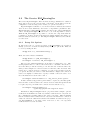
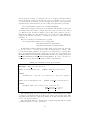
RM_Data.connect("<job_id>")
where you need to replace <job_id> with the identifier of the job you want to
connect to. For example:
RM_Data.connect("https://grid-rb.physik.uni-wuppertal.de:9000
/6cN8yhqbuubkqk3Gsp8fvw")
If you want to monitor or steer the data of the job, you must register an
instance of the same data type with the same identifier as in the remote job.
Since the methods for data registration are the same as in RM SteeringSvc, this
works analog to registering the data described in Chapter 2.2. E.g. if you want
to get the values of the eventCounter registered by the algorithm RM Spy, firstly
declare an integer variable in which the tool stores the value, and then register
this integer with the TResultMonitorData instance. The variable name and
the identifier name may not be the same, of course.
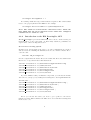
// Declare variable which will contain the value
int eventCounter
// Register the variable
RM_Data.registerInt ("eventCounter", &eventCounter)
Now the variable is registered, but still no data exchange happened. To
retrieve the value from the remote job and store it in the registered variable the
method getValue("<name>") can be used. If you need several different values
the asynchronous way is much faster. In the asynchronous way we first request
all necessary data except the last variable. Because all requests are answered
in the same order they are requested, if the last variable is returned the other
requests before are answered, as well.
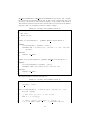
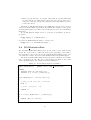
// Blocking retrieval of one value
RM_Data.getValue("eventCounter")
// a, b, c, d are already registered
// Asynchronous requests
RM_Data.requestValue ("a")
RM_Data.requestValue ("b")
RM_Data.requestValue ("c")
// The last request is blocking
RM_Data.getValue ("d")
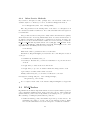
The requestValue method has as only parameter the name of the requested
data. It sends a request to the job, but it does not wait for the answer. Incoming messages are reviced from the checkmethod , which is also nonblocking.
getValue calls check until the answer has returned, it is recommended to use
the getValue method for the last data request.
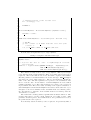
The next important question is how to set a value. The value of ’eventCounter’ can not be set in the job, so it is assumed we have another integer
named integer1 that is already registered with the name ’integer1’.
20