1
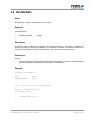
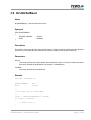
3.8 tdrv002SetFlowControl
Name
tdrv002SetFlowControl() – Configure flow control for the device
Synopsis
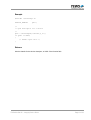
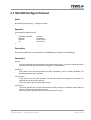
Error tdrv002SetFlowControl
(
TDRV002_HANDLE
UINT1
)
*devHdl,
newHandshake
Description
This function configures the flow control mode.
Parameters
devHdl
This value specifies the device handle which identifies the device. The device handle has been
previously returned by tdrv002Open (see chapter 3.1 tdrv002Open).
newHandshake
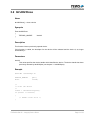
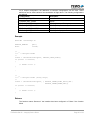
This value specifies the flow control (handshake) mode. The following values are allowed:
Value
Description
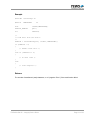
TDRV002_HANDSHAKE_OFF
Flow control off.
TDRV002_HANDSHAKE_XON_XOFF
Use Xon/Xoff flow control.
TDRV002_HANDSHAKE_HARDWARE
Use hardware flow control (RTS/CTS lines).
TDRV002-SW-25 – Integrity Device Driver
Page 21 of 38