1
Content
1 GENERAL
1.1 Local aspects of the assembly/operating manual
1.2 Intended use
1.3 Improper use
1.4 Laws, directives and standards to be observed
1.5 FCC Information for Class B digital device (Power Supply)
3
3
3
3
3
2 SAFETY INFORMATION
2.1 Symbols/warnings
2.2 Symbols used on the bracket
2.3 Organizational measures
2.4 Informal safety measures
2.5 Note for those assembling the bracket
2.6 Transport and assembly
2.7 Dangers due to electrical energy
2.8 In an emergency
2.9 Maintenance and upkeep costs
2.10 Cleaning
2.11 Noise generated by the bracket
2.12 Permanent risks
5
5
5
5
5
5
5
5
5
5
5
5
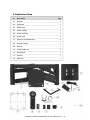
3 CONTENT OF BOX
6
4 ASSEMBLY
4.1 Checking the items supplied
4.2 Packaging
4.3 Tools needed
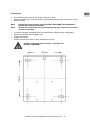
4.4 Location
4.5 Wall plate
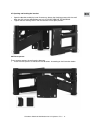
4.6 Mounting frame to wall plate
4.7 Opening and Locking the bracket
4.8 Placing spacers
4.9 Setting up Electronics
4.10 Connecting wires
4.11 Removing TV screen base and hanging the TV screen on bracket
4.12 Final test
4.13 External IR box
4.14 Cable holders
7
7
7
8
9
10
11
11
12
13
14
15
15
16
5 REMOTE CONTROL
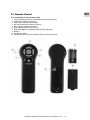
5.1 Functionality of the remote control
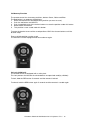
5.2 Memory Function
5.3 Lock (child lock)
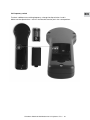
5.4 Frequency switch
17
18
18
19
6
7
8
9
20
21
21
21
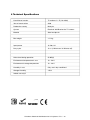
TECHNICAL SPECIFICATIONS
TROUBLESHOOTING
CUSTOMER SERVICE
MANUFACTURER
10 RECYCLING
10.1 Removing the plug from the wall socket
10.2 Dismantle the bracket
10.3 Recycling
TVmotions Electrical Wall Bracket for LCD-/plasma TV’s | 2
21
21
21