1
im Vertrieb von
CAMBOARD
Electronics
Contents
Contents
1
2
2.1
3
3.1
3.2
3.3
4
5
6
7
7.1
7.2
7.3
7.4
Introduction
Getting Started
Quick Start
Overview
Defining the EDID
About HDMI
Terminology Used in this User Manual
Your VS-44HDMI 4 x 4 HDMI Matrix Switcher
Installing the VS-44HDMI in a Rack
Connecting the VS-44HDMI 4 x 4 HDMI Matrix Switcher
Operating the VS-44HDMI 4 x 4 HDMI Matrix Switcher
Routing Inputs to Outputs
Disconnecting the Outputs
Storing and Recalling a Setting
Acquiring the EDID
1
1
2
3
3
4
5
5
8
9
10
10
10
10
11
7.4.1
7.4.2
7.4.3
7.4.4
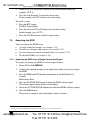
Acquiring an EDID from a Single Connected Output
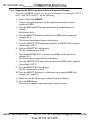
Acquiring an EDID from Several Sets of Inputs and Outputs
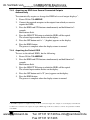
Acquiring an EDID from Several Connected Outputs Automatically
Acquiring the Default EDID
11
12
13
13
7.5
7.6
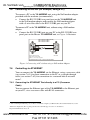
Controlling via RS-232 (for example, using a PC)
Controlling via ETHERNET
14
14
7.6.1
7.6.2
7.6.3
Connecting the ETHERNET Port directly to a PC (Crossover Cable)
14
Connecting the ETHERNET Port via a Network Hub (Straight-Through Cable) 16
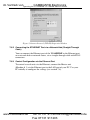
Control Configuration via the Ethernet Port
16
8
9
10
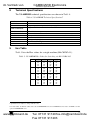
Technical Specifications
Hex Table
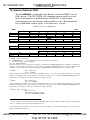
Kramer Protocol 2000
17
17
18
Figures
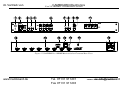
Figure 1: VS-44HDMI 4 x 4 HDMI Matrix Switcher Front and Rear Views
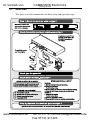
Figure 2: Connecting the VS-44HDMI 4 x 4 HDMI Matrix Switcher
Figure 3: Connecting a PC without using a Null-modem Adapter
Figure 4: Local Area Connection Properties Window
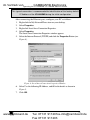
Figure 5: Internet Protocol (TCP/IP) Properties Window
6
9
14
15
16
i
www.camboard.de
Tel. 07131 911201ce-info@camboard.de
Fax 07131 911203