1
AKTIVATECH
Table of Contents Copyright © 2009 ....................................................................................................... 1
Disclaimer ............................................................................................................ 1
Trademark Acknowledgments .............................................................................. 1
FCC Notice .......................................................................................................... 1
Table of Contents ....................................................................................................... 2
Important safety notice......................................................................................... 4
1 ................................................................................................................................. 6
IN T R O D U C T I O N ................................................................................................ 6
About this Manual ................................................................................................ 6
Contact information.............................................................................................. 7
Overview .............................................................................................................. 7
2 ................................................................................................................................. 7
S P E C I F I C A T I O N................................................................................................ 7
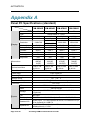
About Specification .............................................................................................. 7
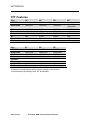
TFT Features ....................................................................................................... 8
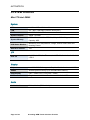
SYSTEM Features ............................................................................................... 9
Mini ITX Intel GM45 ............................................................................................... 9
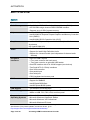
Mini ITX 945 ATOM .............................................................................................. 10
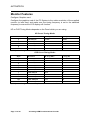
Monitor Features................................................................................................ 11
HD Preset Timing Modes .................................................................................... 11
FHD Preset Timing Modes.................................................................................. 11
Monitor OSD Control Guide ............................................................................... 12
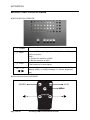
MONITOR BUTTON OVERVIEW ......................................................................... 12
Monitor Remote Control OVERVIEW.................................................................... 12
ON SCREEN DISPLAY FUNCTIONS................................................................ 13
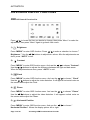
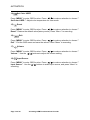
FHD OSD Control Function List......................................................................... 13
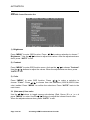
HD OSD Control Function List ........................................................................... 16
3 ............................................................................................................................... 20
Installation & Mounting....................................................................................... 20
System Installation............................................................................................. 20
Mounting ............................................................................................................ 22
4 ............................................................................................................................... 23
Touch Screen....................................................................................................... 23
Touch Screen Specification................................................................................ 23
SAW Touch ........................................................................................................ 23
Optical Touch ..................................................................................................... 24
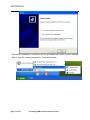
SAW Touch Screen Installation and Calibration guide ....................................... 25
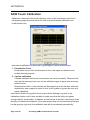
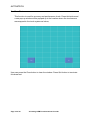
SAW Touch Calibration...................................................................................... 32
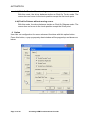
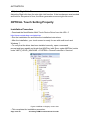
SAW Touch-kit Setting Property ........................................................................ 35
Page 2 of 23
A Leading OEM Touch Solutions Provider