1
LIFEPOWER SOFTWARE for UVIKON XL
USER MANUAL
5 3D-Data Acquisition
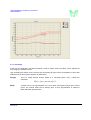
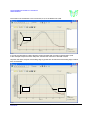
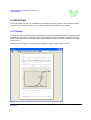
A new feature in the nucleic acid thermal analysis is the 3D SCAN, where the experiment is executed in
spectrum scan mode (generally between 220 nm and 330 nm) at regular user preset time or temperature
interval until the final temperature has been reached. The raw or baseline-corrected data are displayed in
3D mode (Abs, wavelength, temperature). It is also possible to obtain a 2D (Abs, temperature) thermal
transition curve at any wavelength.
3D Scan is particularly useful at the beginning of a new research project, since it helps to detect whether
the melting process involves only two or even more components. For the complicated reactions where
there are more than one equilibrium, it is possible to identify the component by spectral deconvolution,
and separate different thermal transitions by setting the appropriate wavelength (isobestic point).
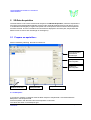
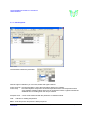
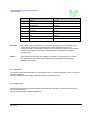
5.1 Prepare an aquisition :
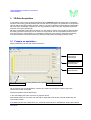
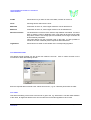
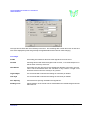
Select a method by selcting the method combo-box.
Cell Temperature
Absorbance
Wavelength
Temperature of
thermosystem
Settings of
thermosystem
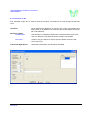
5.1.1 Acquisition
Method
combo-box :
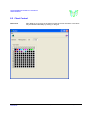
Acquisition control
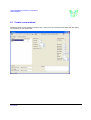
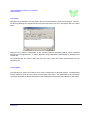
Fill the samples into the sampleholder. Choose your method by selcting the method combo-box.
Choose the number of samples.
Start the acquisition with the start button.
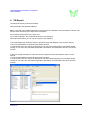
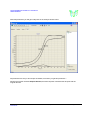
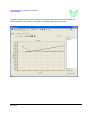
In the chart display the scans are shown in graphical format.
With double-clicking on one chart, this chart will be expanded to full window. Second double-click will
reverse this function.
If the Measurement was crashed down, the 'Load last measurement' is enabled after starting the software
LIFEPOWER Software for
UVIKON XL
Manual Version 2.01, April 2006
Page 21 of 43