1
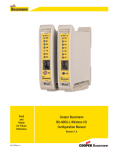
WI-I/O 9-L Configuration Manual
What’s in this document....................................................................................................................... 7
Document conventions.................................................................................................................................... 8
Introduction to WI-I/O 9-L .................................................................................................................... 9
Key features .................................................................................................................................................. 10
Operation ...................................................................................................................................................... 11
Transmitter (WI-I/O 9-L-T) ........................................................................................................................ 12
Receiver (WI-I/O 9-L-R)............................................................................................................................ 13
Introduction to configuring your unit .................................................................................................. 14
Basic steps for configuring your unit.............................................................................................................. 16
Hardware and software requirements ........................................................................................................... 17
Using the configuration software ................................................................................................................... 18
Installing the configuration software .............................................................................................................. 19
Starting WI Series ......................................................................................................................................... 19
Exiting WI Series........................................................................................................................................... 20
Checking the current configuration software version..................................................................................... 20
Working with projects......................................................................................................................... 21
Creating new projects.................................................................................................................................... 22
Re-opening the last project ........................................................................................................................... 24
Opening any project ...................................................................................................................................... 25
Showing project information .......................................................................................................................... 26
Setting project information............................................................................................................................. 28
Setting the project name........................................................................................................................... 29
Setting the project location ....................................................................................................................... 30
Setting the system address ...................................................................................................................... 31
Encrypting messages by setting a security code ...................................................................................... 33
Removing the security code ..................................................................................................................... 35
Securing a project using a password........................................................................................................ 36
Removing the project password ............................................................................................................... 38
Backing up projects ....................................................................................................................................... 39
Restoring projects ......................................................................................................................................... 41
Working with units.............................................................................................................................. 43
Creating new units......................................................................................................................................... 44
Creating and adding a new unit to the configuration................................................................................. 45
Duplicating a unit’s configuration (shortcut).............................................................................................. 47
Reading configuration from a module (loading a new unit)....................................................................... 49
Setting unit information.................................................................................................................................. 52
Setting the unit name................................................................................................................................ 53
Setting the unit address............................................................................................................................ 54
Setting the unit secondary address .......................................................................................................... 57
WI-I/O 9-L Wireless I/O
page 3 of 108